You're standing beside a bottleneck workstation that has become the plant's unofficial meeting point. The equipment runs well enough, but operators still stop the line for changeovers, quality decisions, material replenishment, and production records. Management asks whether the station should be fully automated. The more useful question is narrower: which tasks should the machine perform, which decisions should remain with people, and what level of automation fits the process?
That distinction matters for manufacturers optimizing production and services under real constraints. Product mix changes, exceptions occur, maintenance resources are limited, and compliance requirements can shape the design as much as cycle time. The right answer may be smart tooling, a semi-automatic cell, integrated controls, or a highly automated line. It rarely comes from choosing the most advanced option by default.
Table of Contents
- Why the Right Automation Level Matters More Than Full Automation
- Understanding the Major Automation Frameworks
- Comparing Manual, Semi-Automatic, and Fully Automatic Systems
- The Hidden Gap Between Physical and Cognitive Automation
- Why Semi-Automation Often Delivers the Best ROI
- Decision Criteria for Choosing Your Automation Level
- Next Steps for Implementing Your Automation Strategy
Why the Right Automation Level Matters More Than Full Automation
A plant can invest heavily in robots and automated material handling yet continue to lose time at the same workstation. The robot may load parts consistently, while an experienced operator still verifies a quality characteristic, clears misfeeds, confirms a changeover, and transfers information between systems. The physical motion is automated, but the work surrounding it isn't.
That pattern creates a misleading view of performance. The equipment appears advanced, but the production system remains dependent on human intervention at the points where variation and exceptions occur. Full automation can remove people from routine motion, but it doesn't automatically remove decisions, recovery work, or information bottlenecks.
Automation should follow the process
Manufacturing systems research defines levels of automation through the interaction and task division between humans and machines. A higher level can reduce direct human control and effort, but it also increases the need for software coordination, error recovery, and integration across the production system. The optimum choice depends on the task, the required control authority, process variability, and exception frequency, as described in this manufacturing systems research on human-machine task allocation.
A repetitive fastening operation with stable part presentation may justify automatic feeding and torque verification. A product identification step involving frequent engineering changes may work better with guided operator input and error-proofing. Treating both tasks as candidates for identical automation can increase cost without improving the constraint.
Practical rule: Automate the repetitive work first, then design deliberately for the exceptions that remain.
The opportunity is economically significant, but that doesn't make every process suitable for maximum automation. In 2015, McKinsey estimated that 478 billion of 749 billion working hours spent on manufacturing-related activities globally were automatable with technology already demonstrated at the time. That represented 64% of the work, equivalent to about 236 million full-time employees' labor, and roughly $2.7 trillion of the $5.1 trillion in related labor costs, according to McKinsey's manufacturing automation analysis.
The practical decision is therefore not whether automation matters. It's where automation creates durable value without making the plant harder to operate, maintain, validate, and adapt.
Understanding the Major Automation Frameworks
Automation decisions become clearer when the evaluation scope is explicit. A workstation engineer needs a task-allocation model. A plant manager may need a maturity ladder for investment planning. Controls and operations teams need an architecture that connects machine control with scheduling, quality, maintenance, and business planning.
Use task allocation to define the human role
The Sheridan approach, commonly used in manufacturing systems research, describes how people and machines share sensing, decision-making, and action. At a low level, the operator detects the condition, decides what to do, and performs the work. At a higher level, software can detect the condition, recommend or make the decision, and execute the response, while the operator supervises or handles exceptions.
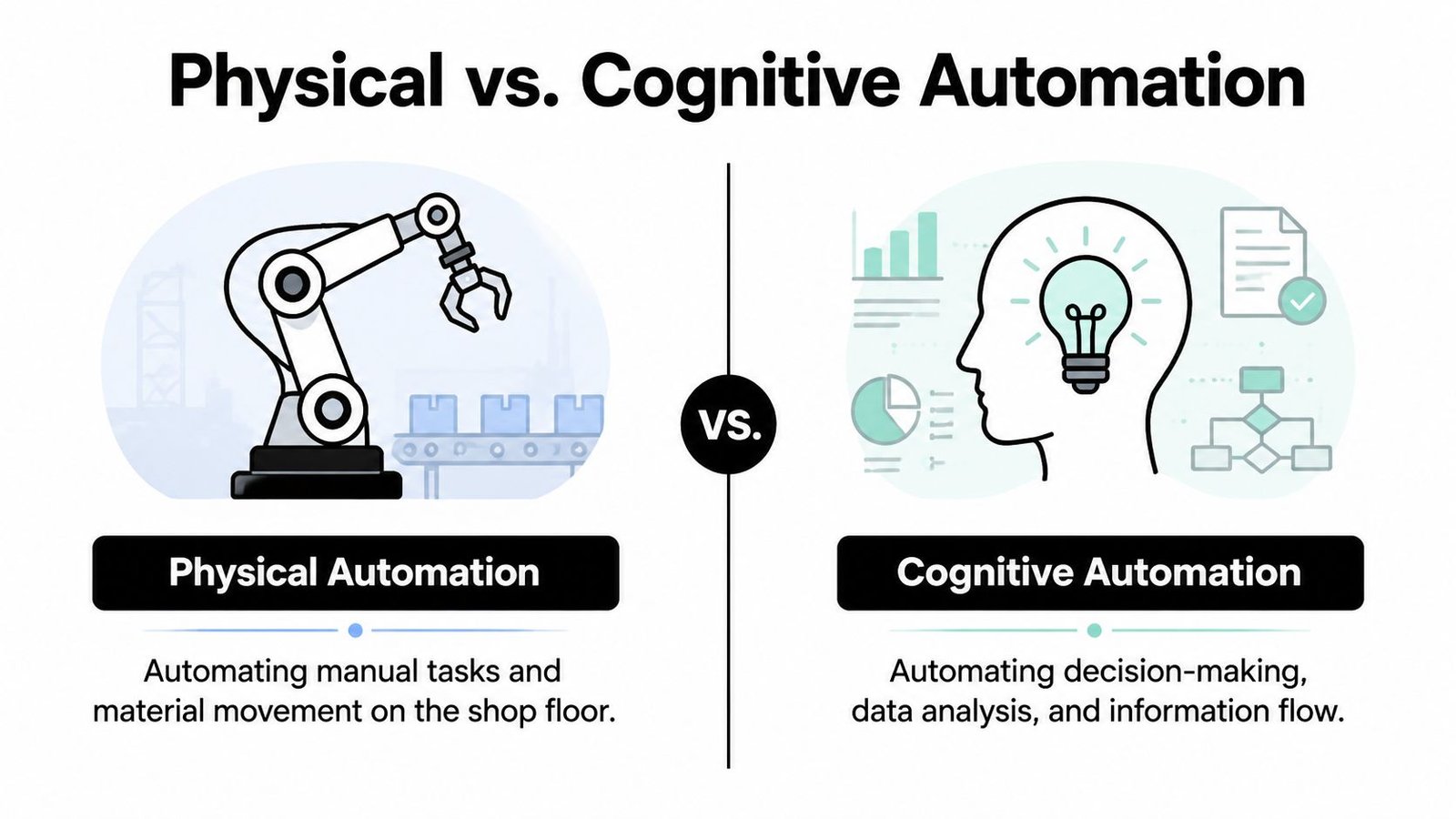
That distinction separates physical automation from cognitive automation. A machine may perform positioning, fastening, and inspection automatically, while an operator still reviews alarms, enters production data, or decides how to handle an out-of-sequence part. The equipment is mechanically advanced, yet manual information work can remain the bottleneck.
This model is useful when designing one operation. A worker might position a component manually, use a guided fixture to prevent incorrect orientation, and let a controller complete fastening and verification. The cell is not fully automatic, but the machine controls repeatable work and the operator retains authority where judgment adds value.
Use the six-state maturity model for production cells
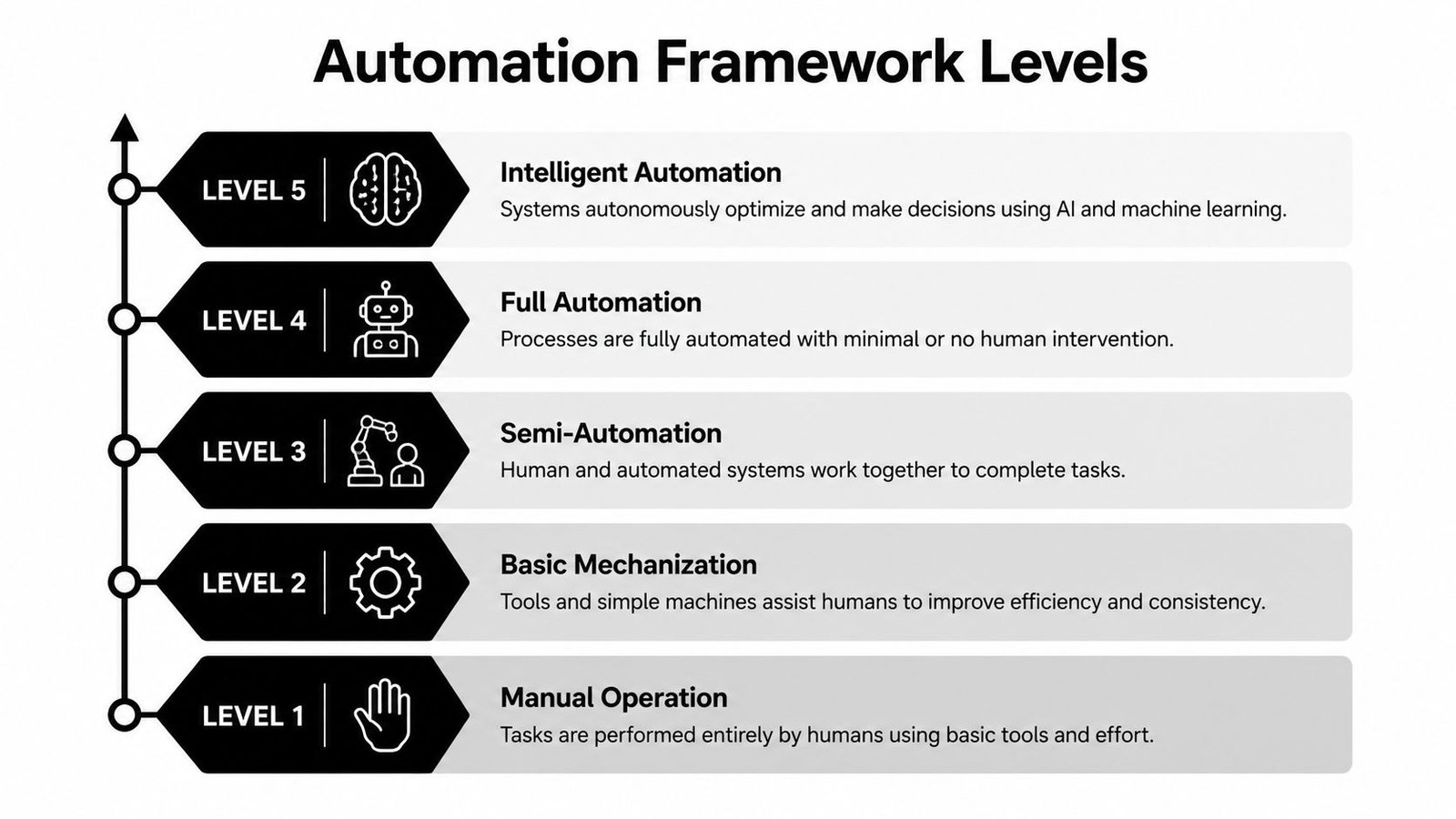
A widely cited manufacturing framework separates automation into six maturity states:
- Manual processes, where people perform the core work with basic tools.
- Assisted systems, where equipment supports lifting, positioning, measurement, or ergonomics.
- Semi-automated systems, where the machine completes defined operations and an operator loads, unloads, authorizes, or responds.
- Highly automated systems, where material flow, sequencing, and process control are integrated across the cell.
- Automated systems with robots, where robots perform handling or production tasks within a coordinated system.
- Lights-out production, where the production floor operates without human intervention.
Moving from manual work to semi-automation involves more than replacing labor. Connectivity, resource planning, simulation, and cell-level data analysis may also be required. Lights-out operation demands a broader digital thread, predictive maintenance, and automatic design and manufacturing optimization. Autonomy therefore belongs to the production system as a whole, not to one machine alone. These distinctions are set out in Sandvik's six-level automation framework for component manufacturing.
Use ISA-95 to map the plant architecture
ISA-95 and IEC 62264 provide a different lens. Level 0 is the physical process, Level 1 is basic control, Level 2 is supervisory control, Level 3 is operations management, and Level 4 is business planning and logistics, as summarized in this ISA-95 manufacturing automation architecture guide.
On an assembly line, Level 1 may include sensors, actuators, and PLC logic. Level 2 can include operator interfaces, alarms, recipes, and supervisory monitoring. Level 3 may coordinate production orders, quality records, maintenance, and material status through an MES. Level 4 connects those operations to enterprise planning and logistics.
These frameworks answer different questions. The six-state model describes maturity, Sheridan assigns human and machine responsibility, and ISA-95 shows where control and information reside across the plant. Use the first for a cell roadmap, the second for task design, and the third for integration planning. A practical automation systems design reference can help connect those decisions to equipment, controls, data flow, and operating needs.
For regulated operations, Level 2 systems may include electronic batch records, digital work instructions, guided data entry, and basic checks. Higher levels can incorporate PLC or DCS control, MES orchestration, and closed-loop adaptation, as outlined in this factory automation levels reference for regulated manufacturing.
A historical perspective explains the progression. 1960 is widely identified as a starting point for modern industrial automation, associated with digital computers for real-time industrial applications and early industrial robots such as Unimate at GM. In 1975, Honeywell introduced the TDC 2000, a milestone in commercial distributed control systems. The history is documented in this engineering account of industrial automation development.
Choose the framework that matches the decision. A task model helps assign responsibility, a maturity model supports investment sequencing, and ISA-95 exposes the information and control interfaces that determine whether the wider plant can operate as planned.
Comparing Manual, Semi-Automatic, and Fully Automatic Systems
Manual equipment isn't automatically obsolete. In high-mix production, a skilled operator using a well-designed fixture can change products quickly, recognize unusual conditions, and avoid the rigidity of a dedicated automatic line. The weakness appears when the process depends on repeated motion, inconsistent force, difficult ergonomics, or manual checks that should be controlled more reliably.
Semi-automatic systems divide the work. The operator may load a component, scan a part number, or approve a result, while the machine performs clamping, insertion, fastening, dispensing, testing, or data capture. Fully automatic systems extend that division across loading, processing, inspection, transfer, and sequencing.
| Criteria | Manual with Smart Tooling | Semi-Automatic | Fully Automatic |
|---|---|---|---|
| Capital commitment | Generally lower, focused on fixtures, tooling, gauges, or ergonomic aids | Moderate, with controls and dedicated process equipment | Highest, often involving integrated handling, controls, inspection, and software |
| Implementation | Usually quicker to deploy and adjust | Requires engineering, controls integration, testing, and operator training | Requires extensive design, integration, validation, commissioning, and support planning |
| Flexibility | Strong for high-mix and frequent product changes | Balanced, especially when changeover tasks remain operator-led | Best when products and sequences are stable |
| Changeovers | Usually fast when tooling is modular | Can be practical with recipes, guided setup, and accessible tooling | May be lengthy if fixtures, programs, feeders, or inspection systems must change |
| Operator role | Performs most process steps | Loads, authorizes, monitors, and handles defined exceptions | Supervises systems, responds to faults, and manages recovery |
| Maintenance | Relatively simple, though ergonomic and tooling wear still matter | Requires mechanical, electrical, controls, and sensor capability | Requires deeper controls, robotics, software, troubleshooting, and spare-parts planning |
| Scalability | Add tools or duplicate stations as demand requires | Expand through additional cells, modules, or automation stages | Scale can be powerful, but integration and capacity planning become more complex |
Manual systems work when flexibility carries the value
Smart tooling can include poka-yoke fixtures, torque-controlled tools, part-presence sensing, ergonomic lifts, and go or no-go gauges. These improvements can stabilize a process without locking the plant into a narrow product configuration. They're often appropriate when demand is variable, the product is still evolving, or the operation contains frequent judgment-based exceptions.
Semi-automatic systems balance control and adaptability
A semi-automatic cell can standardize the actions most likely to create defects while keeping an operator involved in loading, visual assessment, or changeover. That structure often gives production teams a manageable path from manual work to integrated controls. SEA describes this approach through its semi-automated systems for practical manufacturing goals.
Full automation needs stable conditions
Fully automatic equipment can deliver consistent sequencing and throughput when part presentation, product design, demand, and process parameters remain stable. It also creates more failure points to maintain. A feeder jam, sensor fault, recipe mismatch, or inspection disagreement can stop the complete flow rather than one operator station.
The right comparison isn't “old technology versus new technology.” It's flexibility and recovery versus repeatability and unattended operation, measured against the production reality of each cell.
The Hidden Gap Between Physical and Cognitive Automation
A robotic arm can place a part precisely while an operator manually copies production information from a machine screen into a spreadsheet. Conveyors can move material automatically while a supervisor phones another department to confirm a schedule change. PLCs can control sequence logic while quality personnel decide how to disposition an exception outside the digital workflow.
These are two different dimensions of automation. Physical or mechanical automation handles motion, force, material flow, and repeatable process actions. Cognitive or information automation handles data capture, analysis, scheduling, decision support, exception routing, and communication between systems.
Measure the information work around the machine
A plant may appear highly automated mechanically while remaining immature in its information flow. The operator still becomes the integration layer, reading one system, interpreting the result, and entering it into another. That creates delays and transcription risk even when the equipment itself performs consistently.
A 2026 survey found that 78% of manufacturers automated less than half of critical data transfers, while only 40% automated exception handling, according to the Manufacturing AI and Automation Outlook 2026 survey release. Those figures describe a specific information-automation gap. They don't mean physical automation has failed. They show that machine autonomy and operational intelligence often develop at different speeds.
Audit the complete workflow, not just the cycle:
- Before production: Who releases the job, verifies the recipe, and confirms material identity?
- During production: Which values are captured automatically, and which are written or retyped?
- At inspection: Does the system route failures, or does an operator decide where the result goes?
- During recovery: Can the equipment identify the cause and guide the response, or does a technician troubleshoot from experience?
- After production: Are records connected to the batch, work order, quality system, and maintenance history?
For medical device manufacturers working under GMP expectations, this distinction is especially important. Electronic batch records, digital work instructions, guided data entry, traceability, and controlled exception handling can support a more reliable process without requiring lights-out production. The plant may gain more from connecting information flows than from adding another robot.
A useful audit question: After the machine completes its cycle, how many human actions are still required before the result becomes a trusted production record?
Why Semi-Automation Often Delivers the Best ROI
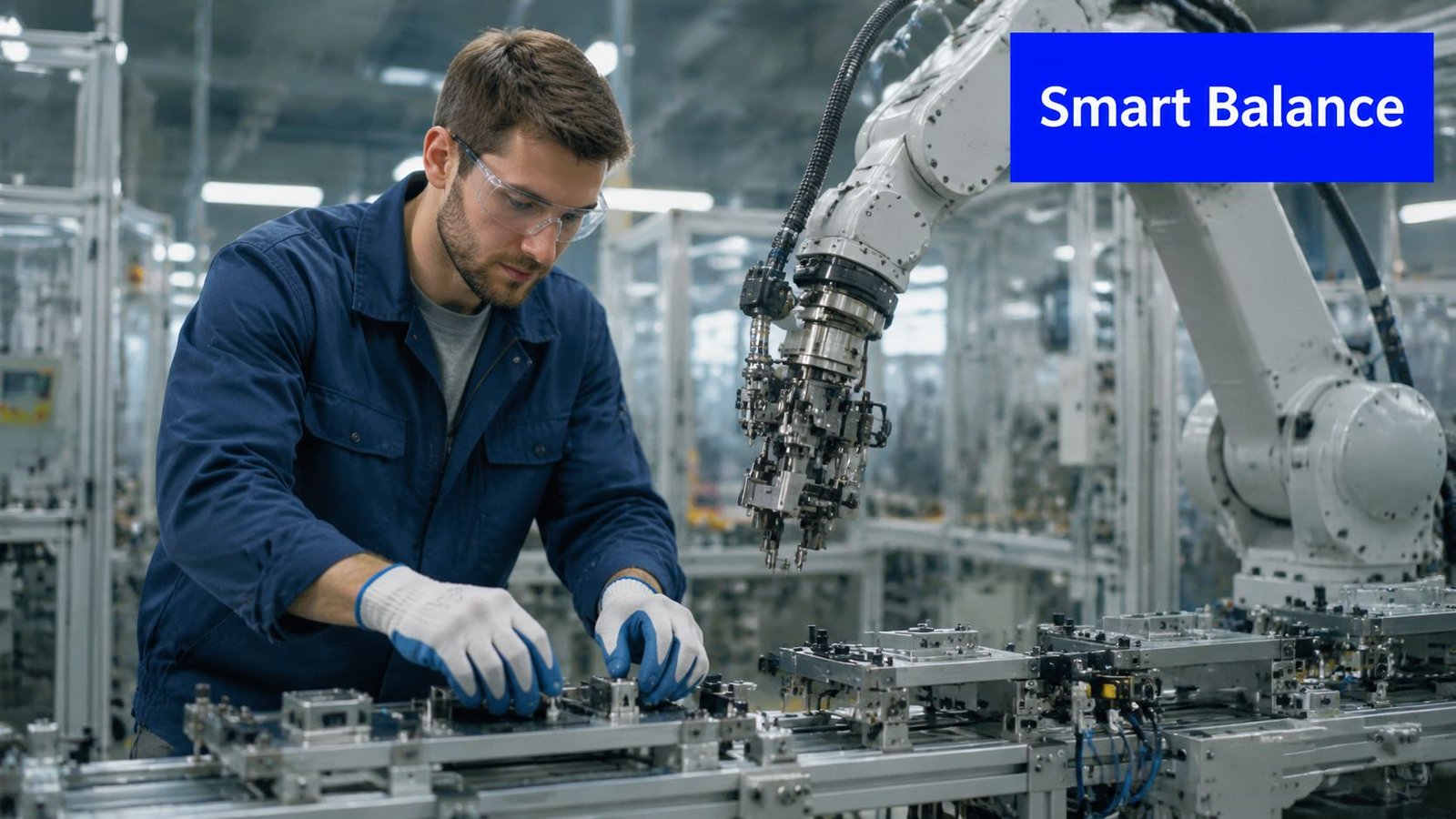
Semi-automation earns its place when a process has a stable repetitive core and a variable perimeter. The machine can handle motion, force, timing, dispensing, fastening, inspection assistance, or material presentation. The operator can manage product changeovers, unusual components, quality judgment, and recovery steps that would be expensive to encode.
That balance matters because automation programs often stall during execution. 92% of manufacturers say automation is critical, yet only 37% report significant or full automation, while 39% cite lack of internal expertise and 32% report cost overruns, according to Vention's 2025 state of the market report. The same source describes 80% of U.S. manufacturing facilities as having zero automation, a reminder that industry ambition and shop-floor implementation remain far apart.
Where the hybrid model fits
A semi-automatic workstation can combine operator judgment with machine precision in several practical ways:
- Guided assembly: The operator loads the part, while sensors verify orientation and the equipment completes fastening or insertion.
- Vision-assisted inspection: A camera checks presence, position, or obvious defects, while a trained person reviews ambiguous conditions.
- Controlled dispensing: The machine meters adhesive or sealant, while the operator handles part presentation and changeover.
- Collaborative material handling: A powered device or robot supports repetitive movement, while the operator manages variant selection and line decisions.
- Digital work guidance: The interface presents the correct sequence, records confirmations, and blocks an incorrect step without removing the operator from the process.
These designs work best when engineers define the operator's role precisely. “Human in the loop” shouldn't mean “human fixes everything.” It should identify which decisions require judgment, what information the operator receives, what the system records, and how the cell recovers from a fault.
Full automation can become counterproductive when the plant automates a variable process before stabilizing it. A machine may repeat an unstable method faster, conceal the source of defects, and force technicians to maintain complex equipment around a process that still changes. Semi-automation gives the team a chance to standardize work, gather usable data, and expand automation where the evidence supports it.
Use a structured financial review rather than a headline estimate. A tool such as SEA's automation ROI calculator can support the early comparison, but the inputs still need to reflect changeover labor, downtime, maintenance, training, quality containment, integration, and the cost of missed production.
A short demonstration of how a hybrid cell can be structured is useful before selecting equipment:
The strongest semi-automation projects don't promise to remove every operator. They remove the right burden, improve process control, and leave the plant with a system people can run.
Decision Criteria for Choosing Your Automation Level
Start with the process, not the equipment catalogue. Evaluate each workstation or cell against the conditions that determine whether automation will remain useful after installation.
Evaluate the production pattern
Volume and mix set the first boundary. Stable, high-volume production can justify dedicated handling and automatic sequencing. High-mix work may favor modular fixtures, recipes, guided setup, and operator-led changeovers.
Product lifecycle matters just as much. A mature product with controlled specifications is easier to automate than a design still undergoing frequent engineering changes. If the process will change, build adjustability into the cell rather than paying for precision around a temporary method.
Variability and exceptions should determine where humans remain involved. Count the conditions that interrupt normal operation, then ask whether the system can detect, classify, and recover from them. Frequent exceptions usually favor semi-automatic operation unless the business case supports the engineering effort needed to automate recovery.
Check people, compliance, and infrastructure
Technical capability includes more than installation. Someone must troubleshoot sensors, controls, software, robots, networks, fixtures, and quality interfaces after the integrator leaves. If that capability isn't available internally, specify training, documentation, service, and support during procurement.
GMP and traceability requirements can shift the design toward controlled information automation. Medical device operations may need electronic batch records, digital work instructions, guided data entry, controlled recipes, audit trails, and validation documentation. These needs don't automatically require full physical autonomy. In many cases, a well-designed Level 2 or Level 3 architecture provides stronger control than an ambitious system with poorly managed records.
Budget and flexibility should be evaluated together. A lower initial cost isn't useful if the design cannot expand, but an advanced platform isn't justified if the process or demand won't support it. Include integration, validation, spare parts, maintenance, training, and downtime during installation.
Use this checklist during a workstation review:
- Identify the constraint and separate motion, information, quality, and recovery work.
- Mark each task as repetitive, variable, judgment-based, or exception-driven.
- Define the operator's authority and the machine's responsibility.
- Specify the records, alarms, interlocks, and recovery instructions required.
- Compare manual tooling, semi-automatic equipment, and full automation against the same production assumptions.
- Pilot the smallest design that can prove the process and generate trustworthy data.
- Set expansion criteria before approving the next automation stage.
Different stations in one facility may need different answers. The best plant architecture often combines manual flexibility, semi-automatic control, and fully automatic handling where each creates the strongest operational fit.
Next Steps for Implementing Your Automation Strategy
Begin with a production audit. Observe the bottleneck, record the manual actions around the machine, map material and information flow, and identify which interruptions come from variation rather than repetitive work.
Select one workstation for a focused pilot. A semi-automatic fixture, guided assembly system, vision-assisted check, or controlled material-handling aid can test the process without committing the facility to a complete redesign. Measure the outcomes that matter to the operation, including quality consistency, recovery effort, changeover practicality, operator workload, and system uptime.
Choose an integration partner that can work from preliminary concepts through design, drawings, sourcing, installation, commissioning, training, and ongoing service. System Engineering & Automation brings 30+ years of engineering experience, GMP-aware practices, and support for manual equipment, custom tooling, semi-automatic systems, integrated controls, and fully automated solutions. Evaluate proposals by asking who owns the controls architecture, how exceptions are handled, what documentation is supplied, and how the system can scale when the product changes.
The objective isn't a perfect automated factory overnight. It's a sequence of controlled improvements that makes production more capable, measurable, and adaptable.
System Engineering & Automation provides custom manufacturing solutions, including smart tooling, semi-automatic systems, integrated controls, and fully automated equipment, matched to production goals, budgets, and GMP-aware requirements. Visit System Engineering & Automation to discuss a bottleneck workstation, plan a practical automation pilot, and identify the right level of automation for your operation.