If you're running a plant right now, you're probably dealing with a familiar mix of problems. Output needs to improve, quality can't slip, labor is harder to schedule, and nobody wants to approve a large automation project that locks the operation into the wrong process for the next several years.
That's where most automation conversations go off track. The discussion jumps to robots, vision systems, and full line integration before anyone has defined the actual production problem. In many facilities, especially SMEs and GMP-aware environments, the right answer isn't maximum automation. It's the right amount of automation.
Good automation systems designs solve constraints in a controlled, maintainable way. They reduce operator burden where it matters, stabilize process variation, and leave room for changeovers, validation, and real-world troubleshooting. That's the standard plant managers should hold.
Table of Contents
- Defining the Mission Your Automation Requirements and Goals
- Choosing Your Automation Level Semi vs Fully Automated
- Core Mechanical and Controls Design Principles
- Validating and Documenting for Compliance and Quality
- From Installation to Measuring Long-Term ROI
- Your Partner in Practical Automation
- Frequently Asked Questions About Automation Design
Defining the Mission Your Automation Requirements and Goals
Plants rarely need “automation” in the abstract. They need a fix for a recurring scrap issue, a bottleneck station, an ergonomic hazard, or an inspection step that depends too much on operator judgment. If you don't define that problem correctly, the machine will be built around assumptions instead of facts.
One practical discipline is to start with the process failure, not the equipment concept. Ask why the issue happens, then ask why again until you reach something physical and controllable. A station may look slow, for example, but the root cause might be part presentation, fixture repeatability, or an inspection method that forces rework downstream.

Start with the production problem
A strong requirement review should answer a few direct questions:
- What defect or delay is costing you the most pain: Be specific. Misloaded parts, missed labels, inconsistent torque, difficult handling, poor traceability, or excessive operator motion all point to different solutions.
- What must stay flexible: Product families, lot sizes, operator loading, and future SKU changes affect whether you choose fixed automation or a modular semi-automatic station.
- What can't move: Floor space, utilities, cleaning needs, line-side material flow, and access for maintenance shape the design more than many buyers expect.
- What counts as acceptance: If quality, throughput, and repeatability aren't defined early, every review meeting turns into opinion.
Practical rule: If two departments describe project success differently, the requirements aren't finished.
A useful User Requirement Specification (URS) doesn't need to be academic. It does need to be complete enough that mechanical, electrical, controls, quality, and operations teams are all solving the same problem.
Build a usable URS
At minimum, the URS should define process inputs, expected outputs, critical quality checks, operator interaction, alarms, reject handling, maintenance access, and what the factory will sign off during acceptance. It should also spell out what the machine is not expected to do. That prevents scope creep from sneaking in after design release.
This approach isn't just a paperwork preference. AMS's automation process notes that defining requirements before solutioning helps prevent expensive rework after design release and materially improves project success and customer satisfaction.
A practical URS often includes this short sequence:
Document the current state
Record how the task is done now, where variation enters, and where operators compensate manually.Name the critical process parameters
That may include force, position, orientation, timing, presence verification, or part identity.Set operating boundaries
Include available space, cleaning method, operator access, and any compliance limits.Write acceptance in plain language
If the line team can't read it and use it, it's too vague.
Good automation systems designs start as operating definitions, not hardware shopping lists.
Choosing Your Automation Level Semi vs Fully Automated
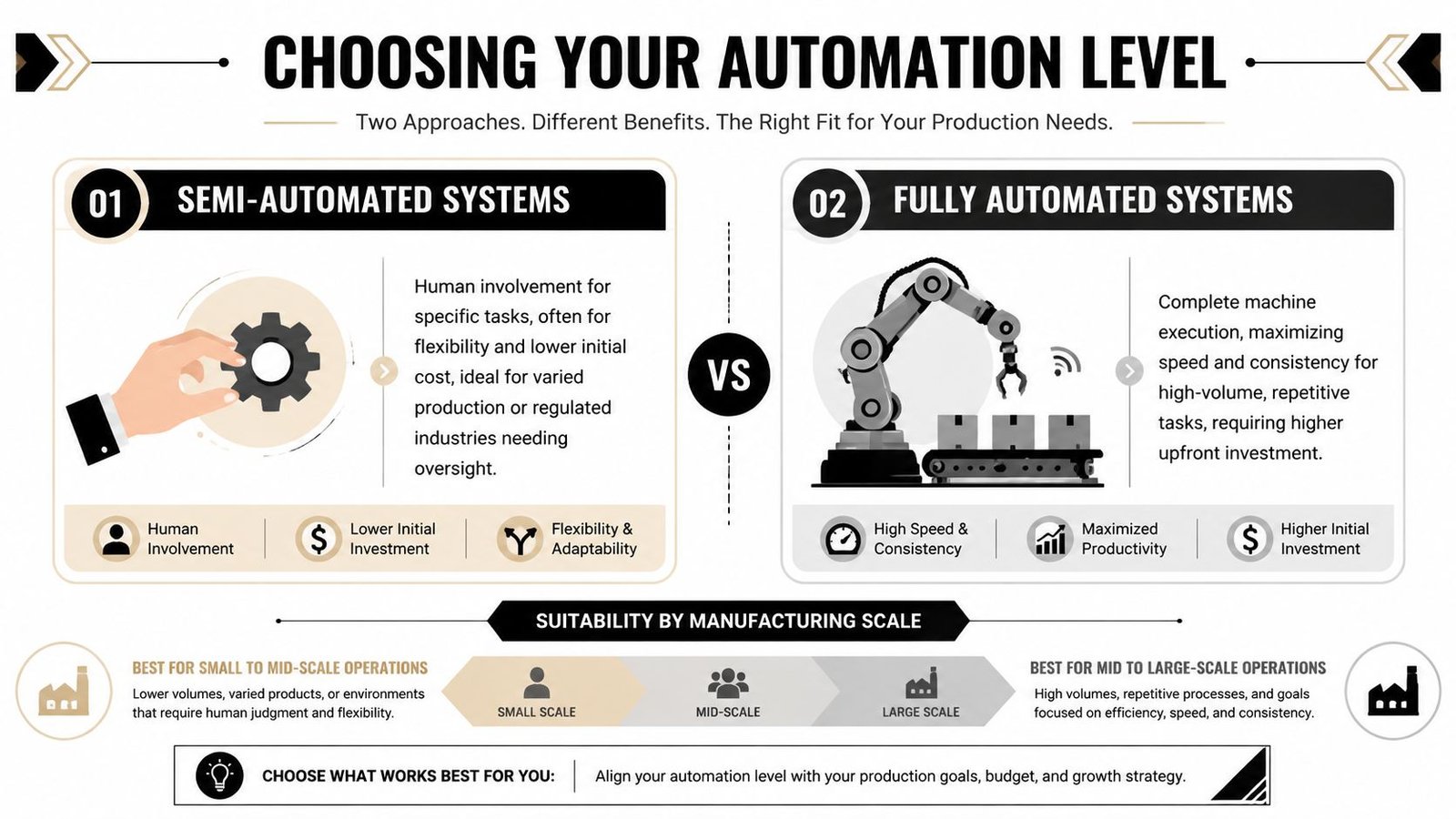
The biggest mistake I see is treating full automation as the default end state. It isn't. In many plants, semi-automation produces a better business result because it controls the unstable part of the process while keeping people involved where judgment, dexterity, or flexibility still matter.
That's especially true for mixed-SKU production, regulated assembly, pilot-to-scale transitions, and operations where validation effort matters almost as much as throughput. A PLOS One paper highlights the gap in practical guidance for choosing the right automation level and notes that hybrid, semi-automatic designs can better balance flexibility, cost, and operability for niche industries and mixed-SKU environments.
Where semi-automation wins
Semi-automated systems usually make sense when operators can still add value, but the process needs fixtures, sensors, guided sequencing, error-proofing, or controlled actuation to stabilize results.
Typical examples include:
- Guided assembly cells: The operator loads and unloads parts, while the machine handles clamp verification, sequence control, sensing, and pass-fail logic.
- Inspection-assisted stations: Vision or sensors confirm critical attributes, but a trained operator manages exceptions and disposition.
- Tooling-heavy workstations: Custom nests, poka-yoke features, torque tools, and interlocks remove common mistakes without forcing a fully unmanned architecture.
Fully automated systems make more sense when the task is repetitive, volumes are steady, part variation is low, and the plant can support tighter feeding, guarding, maintenance, and change control discipline.
For manufacturers comparing options, this overview of semi-automated systems is useful because it frames automation around budget and production fit instead of technology hype.
Decision Matrix Semi-Automated vs Fully-Automated Systems
| Factor | Semi-Automated System | Fully-Automated System |
|---|---|---|
| Upfront investment | Lower entry point, especially when existing labor remains part of the station design | Higher due to feeding, guarding, controls, and broader integration scope |
| Flexibility | Better for product variation, short runs, and operator-led adjustments | Best when parts and cycle logic stay stable |
| Changeover | Usually simpler because operators absorb part of the variation | More engineering effort if tooling, programming, or feed systems must change |
| Validation burden | Often easier to bound and document in GMP-aware environments | Broader validation effort because more functions are automated |
| Operator role | Active. Loading, inspection, exception handling, and replenishment remain important | Reduced during normal production, but technicians need stronger troubleshooting capability |
| Maintenance | Simpler systems can be easier to recover quickly | More components and interdependencies can increase diagnostic complexity |
| Best fit | SMEs, mixed-SKU lines, regulated assembly, phased upgrades | High-volume, repetitive production with stable inputs |
Semi-automation is often the fastest path to a controlled process because it removes the worst variation first.
Plants get into trouble when they buy a fully automated concept to solve a process that still changes weekly. In that situation, the machine doesn't create discipline. It amplifies instability.
Core Mechanical and Controls Design Principles
The best automation systems designs still follow old industrial truths. The Jacquard loom introduced programmable sequencing in 1801, and Ford's assembly line in 1913 showed how system design could transform throughput. The tools are different now, but the core principles are the same: repeatability, sequencing, and reduced human intervention where it adds risk or inconsistency.
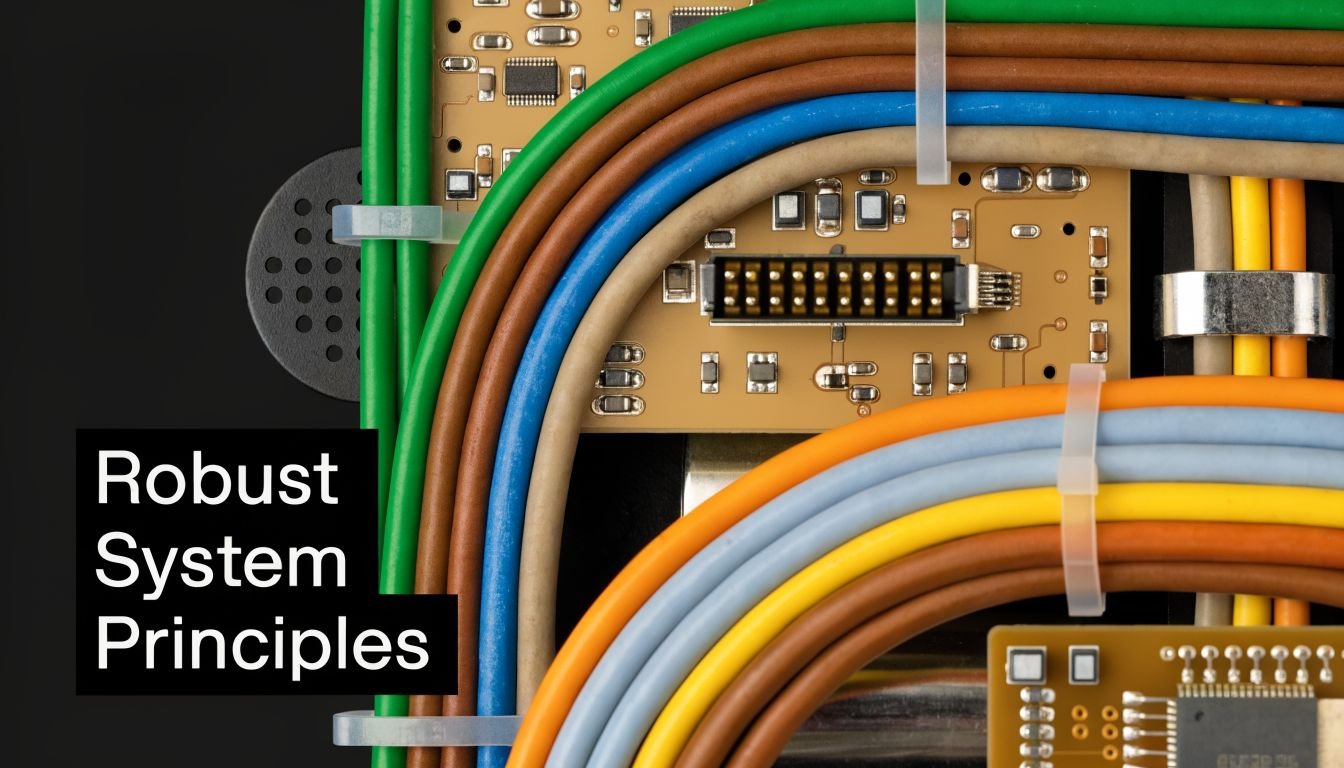
That matters on the shop floor because reliability comes from ordinary design decisions. Fixture location, sensor access, wire routing, guarding layout, operator reach, and service clearance matter more than flashy features.
Design the mechanics around the real task
A good fixture does more than hold a part. It establishes datums, prevents incorrect loading, supports the operator's natural motion, and gives sensors a clear shot at the feature being checked.
I'd rather see a simple nest with positive location and clear reject logic than a complicated mechanism trying to correct a bad upstream presentation. Overbuilt mechanisms often create maintenance problems that didn't exist in the manual process.
Use these rules when reviewing tooling and station mechanics:
- Locate from functional datums: Don't fixture from a cosmetic edge if the downstream process depends on a hidden feature.
- Make wrong loading difficult: Poka-yoke should come from geometry first, sensors second, and operator instructions last.
- Design for access: If maintenance has to remove guards, disconnect cables, and disassemble half the station to change a cylinder or sensor, downtime will stay high.
- Respect ergonomics: Operator loading height, reach distance, and hand clearance affect cycle consistency more than many layouts acknowledge.
A practical controls architecture should support those mechanical choices, not compensate for weak design. That's one reason automation control systems should be chosen as part of the machine concept, not tacked on at the end.
Choose controls that match the job
Not every station needs the same controls stack. The right question isn't which platform is most advanced. It's which platform your plant can support and troubleshoot.
For straightforward sequence control, interlocks, safety logic, and discrete I/O, a PLC-based system is usually the sensible choice. For recipes, richer data handling, or higher-level interfaces, a PC-based layer may add value. For compact stations, integrated controllers can be enough if they don't create support headaches later.
A control system should help a technician find a fault quickly. If it hides the fault behind unnecessary complexity, it's the wrong design.
This walkthrough shows the kind of control architecture thinking that separates a clean build from a fragile one.
Three design questions keep controls practical:
Can the operator understand the machine state?
HMI screens should show sequence position, faults, sensor status, and recovery steps in plain language.Can maintenance isolate failures fast?
Clear I/O labeling, accessible electrical panels, and sane alarm structure matter every day.Can the cell be modified later?
Leave room in the panel, code structure, and I/O plan for likely additions.
Validating and Documenting for Compliance and Quality
In GMP-aware manufacturing, a machine isn't ready because it runs. It's ready when the plant can prove what it does, how it was tested, and how changes will be controlled later.
That sounds heavier than it needs to be. Validation becomes manageable when the team ties it to process risk instead of treating it like a separate paperwork exercise done after the build is finished.

Keep validation tied to risk
For a semi-automated medical device assembly station, for example, the critical questions are straightforward. Does the fixture position the part correctly every time? Do sensors verify the required condition? Can the operator bypass the intended sequence? Are rejects segregated and recorded properly?
That's where IQ, OQ, and PQ become useful rather than ceremonial:
- IQ confirms the equipment is installed as intended. Utilities, model numbers, drawings, safety devices, software versions, and calibration status belong here.
- OQ challenges the machine functions. Alarms, interlocks, sequence logic, parameter limits, and failure responses get tested against the design intent.
- PQ confirms the process performs acceptably under routine operating conditions with trained users and normal materials.
Validation should follow the process risk. Don't spend equal effort on a cosmetic indicator light and a critical acceptance check.
Factory acceptance is a good place to start building that evidence package. A structured factory acceptance test approach helps catch missed functions before the machine reaches your floor, where every revision takes longer and costs more attention from operations.
The documents that matter
Plants often overproduce low-value paperwork and underproduce the documents technicians and quality teams need. Keep the package practical and controlled.
A solid documentation set includes:
- Approved design inputs: URS, functional requirements, and any process constraints that drove the build
- Risk records: FMEA or equivalent risk review tied to controls and mitigations
- Drawings and software records: Mechanical drawings, electrical schematics, I/O lists, revision-controlled code, and backup procedures
- Test evidence: FAT, SAT, IQ, OQ, and PQ records where applicable
- Operating support: Work instructions, setup guidance, maintenance tasks, spare parts list, and training records
If your documentation can't support troubleshooting, retraining, or audit response, it isn't finished.
From Installation to Measuring Long-Term ROI
A machine install is not the finish line. It's the handoff from project mode to production reality. That's where many automation projects either become plant assets or become recurring sources of workarounds.
Commissioning is a transfer of ownership
The strongest commissioning plans treat startup as an operational transition. Operators need to know normal cycle behavior, fault recovery, material presentation, and what conditions trigger a call to maintenance. Maintenance needs backups, spare parts, sensor locations, panel documentation, and clear restart logic.
Site Acceptance Testing should confirm more than movement. It should verify that the installed machine behaves the same way the approved design intended, under normal factory conditions, with your actual operators and materials.
Track the proof after go-live
Toyota Automated Logistics recommends defining success criteria before go-live and measuring automation performance by system uptime, minimal unplanned downtime, throughput against design capacity, predictable maintenance, and workforce adoption rather than judging success only by installation completion. That guidance appears in its discussion of how to measure automation project success in a distribution setting.
Those same ideas apply on a manufacturing floor. If the original project targeted quality consistency, reduced operator burden, or smoother flow, those outcomes should show up in the first months after startup through trend reviews, downtime logs, and operator feedback.
A practical post-launch review should answer:
- Is the machine stable during normal shifts
- Are operators using it the intended way
- Are exceptions recoverable without engineering intervention
- Is maintenance becoming routine instead of reactive
If the answer is no, the fix usually isn't more technology. It's better fault handling, tighter standard work, or a mechanical adjustment that should have been made visible earlier.
Your Partner in Practical Automation
A plant manager usually calls for help after the same pattern shows up for months. Labor is tight, one station keeps setting the pace for the whole line, quality drifts between shifts, and a full automation project still does not pencil out. In that situation, the right partner does more than propose equipment. They sort out where a small amount of well-placed automation will remove friction without locking the plant into a rigid process.
That work starts on the floor. A good automation partner looks at how operators run the job, where changeovers create delay, which manual steps add judgment that should stay with the operator, and which repetitive tasks should be handed to a machine. In SME and GMP environments, that distinction matters. Semi-automation often gives a better return than a fully automatic cell because it preserves flexibility, keeps validation effort in proportion, and avoids solving variability with unnecessary complexity.
I have seen plants spend too much on automation that looked impressive in a proposal and became difficult to support after startup. The better projects are usually more disciplined. They use straightforward mechanics, controls the maintenance team can live with, and operator interaction that makes the process easier to run, not harder.
System Engineering & Automation is one example of a supplier manufacturers may review for custom tooling, fixtures, semi-automatic systems, controls integration, installation, and commissioning.
The standard for any engineering partner is simple. They should define the true requirement, recommend the right level of automation for the process, and stay accountable after handoff. If they cannot do all three, the project becomes harder to justify and slower to improve.
Frequently Asked Questions About Automation Design
Managers usually ask the same core questions, and they're the right ones. Not because automation is mysterious, but because the consequences of getting it wrong are expensive in time, distraction, and lost production flexibility.
FAQ
| Question | Answer |
|---|---|
| Should we automate the whole process or just one station first? | Start where the process is unstable, labor-intensive, ergonomically difficult, or quality-sensitive. A single well-selected station often teaches more than a line-wide overhaul. |
| When is semi-automation the better choice? | When operators still provide useful judgment or dexterity, when product mix changes often, or when you want more control without committing to a rigid fully automatic architecture. |
| What makes an automation project fail most often? | Poorly defined requirements, weak operator involvement, and designs that ignore maintenance access. Plants also struggle when they automate around an unstable upstream process. |
| How much documentation do we need? | Enough to support operation, maintenance, quality review, and controlled changes. In regulated environments, documentation should clearly connect requirements, risk controls, testing, and released machine configuration. |
| Do we need a PLC for every system? | No. Many systems benefit from PLC-based control, but the correct platform depends on sequence complexity, support expectations, data needs, and how the plant will maintain the equipment. |
| How do we handle product changeovers? | Design them intentionally. Use common datums, adjustable fixtures where sensible, recipe control when justified, and clear setup verification. If changeover is frequent, don't bury it under hard automation. |
| What should operators see on the HMI? | Machine state, alarm descriptions, recovery guidance, mode status, and any checks needed to restart safely. Operators shouldn't have to decode engineering shorthand during a fault. |
| How do we know the project is delivering ROI? | Compare actual post-launch performance to the goals defined before design release. Focus on uptime, stable throughput, reduced rework, manageable maintenance, and whether the workforce is using the system effectively. |
| What should we ask an automation supplier early? | Ask how they define requirements, how they approach exception handling, what documentation they provide, how they support FAT and SAT, and how they design for maintenance and future modification. |
One final point matters. The best automation systems designs don't try to eliminate people from every step. They put people where judgment matters and machines where consistency matters.
If you're evaluating a semi-automated workstation, a custom fixture package, or a broader manufacturing upgrade, System Engineering & Automation can help you define the right level of automation, document the requirements clearly, and build a solution that fits your production goals, quality needs, and budget.