You're facing a bottleneck that won't staff itself. The parts are fine, the orders are there, but every shift depends on who shows up and how consistently someone can press, test, or inspect the same thing hundreds of times. That's usually when automation enters the conversation, and it's also when plants make their most expensive mistake. They price a machine before they've written automation system requirements that a designer can build to and a quality team can test.
Table of Contents
- The Eight Types of Automation System Requirements
- How to Gather Requirements Before Design Starts
- Writing Functional and I/O Specification Excerpts
- Requirements Document Template and Checklist
- Safety and Cybersecurity Requirements for Connected Lines
- GMP and Validation Requirements for Medical Device Lines
- Commissioning Tests and ROI Requirements
- Decide Before You Request a Quote
The Eight Types of Automation System Requirements
Say a table-top press hits its 15-second cycle target on demo day. Then qualification starts, and nobody can answer a basic question: how does the station detect a bad part, stop it from moving forward, and record what happened? The machine worked. The system failed, because reject handling was never specified.
Requirements aren't paperwork for its own sake. They're written answers to what the system must do, how well it must do it, how it protects people, and which rules govern the evidence. Labor pressure makes that discipline urgent, since in Automation.com's 2025 report on robotics adoption in North America, 66% of survey respondents said ongoing labor shortages directly influenced their organization's decision to invest in robotics.
A requirement you can't test is only a wish. Every line needs a number, a method, and a pass value.
| Requirement type | Question it answers | Semi-automated table-top example | Fully automated line example |
|---|---|---|---|
| Functional | Which operations run and in what order | Operator loads part, system presses and labels | Robot picks, vision checks and conveyor routes part |
| Performance | How fast, how often and how accurately | 15 s per cycle, 98% first-pass yield | 6 s per cycle at line takt, 99% first-pass yield |
| Safety | How people are protected during operation and faults | Light curtain and emergency stop at station | Full guarding, safety PLC, zoned access |
| Regulatory and GMP | Which quality rules and records apply | Batch record and operator login | Electronic records, audit trail, change control |
| Validation | How proof of performance is produced | IQ/OQ/PQ scaled to station risk | IQ/OQ/PQ across the integrated line |
| Infrastructure | Power, air, space and network the system needs | Single-phase power, one compressed-air line | Three-phase power, plant network drop, floor reinforcement |
| Integration | How signals and data move to existing equipment | Discrete I/O to existing conveyor | Fieldbus to MES and upstream and downstream machines |
| Maintainability | Who can service it and how fast | Operator-level fixes, common spares | Controls technician, spare modules, remote diagnostics |
What Changes Between the Two Columns
All eight types apply at both levels. What changes is depth and consequence. A semi-automated station keeps a person in the loop, so operator interaction, ergonomics, and simple clearing matter more. A full line removes that person from most cycles, which pushes complexity into sensing, fault recovery, guarding, and data handling.
Don't skip the unglamorous rows. Infrastructure and maintainability decide whether a good design survives installation. If you haven't named the air supply, network drop, spare parts, and the person who'll own troubleshooting at 2 a.m., you haven't finished specifying.
We advise customers on whether a fully automated system is necessary for their business, and that decision belongs before detailed design. I would settle the automation level first, then write depth to match it.
How to Gather Requirements Before Design Starts
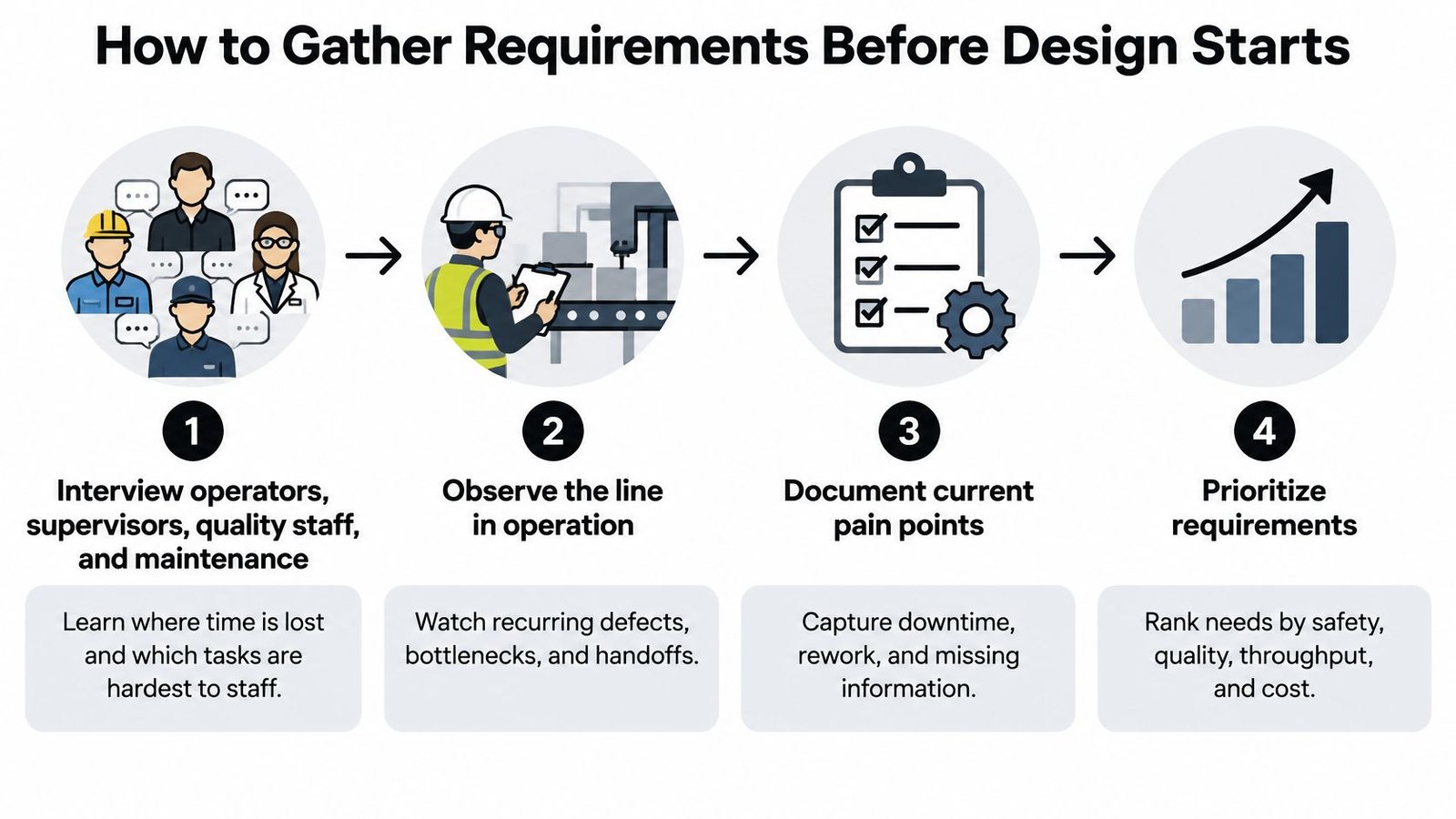
Start with the people who absorb the line's failures, not the vendor catalogue. Catalogues describe what a supplier sells. Your operators, supervisors, quality staff, and maintenance team can describe what your process does on a bad Tuesday.
Six Steps That Produce a Usable Draft
- Interview each group separately: Ask operators where time disappears, supervisors which tasks are hardest to staff, quality which defects recur, and maintenance which faults take longest to clear. Separate interviews surface problems people won't raise in a group.
- Write use cases for every mode: Cover normal running, changeover, fault recovery, and restart. Most automation disappoints outside the steady cycle, during a jam, a partial load, or a restart after a stop.
- Build the I/O list station by station: Name every sensor, actuator, and signal, with its type and expected state in each mode. If a signal isn't on the list, it won't be wired, programmed, or tested.
- Run the risk assessment early: Rate hazards by severity and likelihood. That rating sets your safety functions and shapes how much validation evidence you'll need, so it can't wait until the guarding is ordered.
- Convert goals into numbers: Replace "faster" and "better quality" with target cycle time, first-pass yield, changeover minutes, uptime, and acceptable reject rate. A designer can't size a cylinder from an adjective.
- Review and sign off with named owners: Walk the draft with each owner and date the approval. Unsigned requirements drift, and drift becomes unpaid engineering change orders.
The Workforce Question Most Teams Forget
Add one question to every interview: which skills must this line keep or build? According to Smart Industry's summary of the 2025 smart manufacturing survey, 48% planned to repurpose or hire workers because of smart-manufacturing investments. Automation changes jobs more often than it removes them.
So name the tasks that stay human. Specify training time, who clears exceptions, and whether a trained operator or a controls specialist handles the first level of faults. If your plant doesn't employ a controls engineer, a system that needs one for routine recovery is the wrong system, however elegant the programming looks.
Practical rule: Write the manual fallback into the requirements. If the line stops, people need a defined way to keep safe product moving or to quarantine suspect product.
In our no-obligation manufacturing automation consultation, we aim to understand your current challenges and bottlenecks, labor and production constraints, quality or consistency concerns, and budget and timeline expectations. Bring a dated draft, named section owners, and your first I/O list to that conversation, and you'll get engineering feedback instead of a generic quote.
Writing Functional and I/O Specification Excerpts
A gathered requirement becomes useful when it turns into a specification line with an ID, a measured statement, and a test. Compare these two illustrative lines.
- REQ-FUN-004: The press station shall apply 40 kN ±2 kN and record peak force for each part.
- REQ-FUN-021: The robot shall place each part within ±0.1 mm of the fixture datum before the vision check.
Both lines tell the builder what to deliver and tell the tester what to measure. Neither relies on "press firmly" or "place accurately."
| Spec item | Semi-automated table-top example | Fully automated line example |
|---|---|---|
| Spec statement | REQ-FUN-004, press applies 40 kN ±2 kN and records peak force | REQ-FUN-021, robot places part within ±0.1 mm before vision check |
| Cycle time | 15 s per part, operator-paced | Set by line takt time from the gathering step |
| Operator interaction | Loads part, presses start, removes finished part | Refill and jam clearing only |
| I/O count | Set by station I/O list | Set by full line I/O list |
| Fault and fail-safe state | Cylinder retracts, cycle aborts, HMI alarm | Zone stops in controlled sequence, event logged |
| Acceptance test | 200 consecutive cycles with zero unlogged faults | Capability study over several production weeks at target rate |
Where the Real Differences Hide
Look first at fault behavior, not speed. The table-top station can retract a cylinder, abort, and ask the operator to decide what happens next. The full line has no operator watching each part, so it needs a controlled zone stop, part tracking through the stop, and a logged event that explains which units are suspect.
Operator interaction drives the HMI design too. A person loading every cycle needs clear prompts, part-present confirmation, and protection against starting with hands in the work zone. A person who only refills feeders and clears jams needs safe access, guided recovery screens, and a restart sequence that doesn't guess where parts stopped.
Leave I/O counts open until the station lists exist. Guessing early produces undersized panels or expensive spare capacity in the wrong places. As signals are exchanged with neighboring equipment, document ownership, timing, and failure states in your interface control documentation so both sides program to the same handshake.
Match the acceptance test to the scope. 200 consecutive cycles can prove one station behaves. It can't prove a line holds capability across shifts, material lots, and changeovers, which is why the full line needs a longer study at target rate.
Copy this row structure into your own document. Then replace every illustrative number with a value measured on your process, because borrowed numbers create false confidence faster than no numbers at all.
Requirements Document Template and Checklist
Use one document skeleton for every project, whether it's a fixture upgrade or a full line. Consistency lets reviewers find gaps quickly and lets maintenance trace why a design decision exists years later.
| Field | What to write | Example |
|---|---|---|
| Document ID and revision | Unique ID, revision letter, named owner | SPEC-LINE-07 rev B, owner is maintenance lead |
| Scope and use cases | Modes covered and a number for each use case | UC-03 covers restart after e-stop reset |
| Functional requirements | Numbered statements with a measured value | REQ-FUN-004, press applies 40 kN ±2 kN per part |
| Performance targets | Cycle time, first-pass yield, uptime, reject rate | 15 s per part, 98% first-pass yield |
| Safety and fail-safe | Hazard, safeguard and fail-safe state | Light curtain breaks, cycle aborts, cylinder retracts |
| Cybersecurity | Network zones, authentication, asset list, remote access | Remote session time-boxed and logged |
| Validation and acceptance | Test ID for each requirement with pass value | IQ/OQ/PQ mapped to REQ IDs |
| Change control | Impact review for every software, recipe or hardware change | Recipe edit triggers documented review |
Before design starts, check three things. Every field is filled. Every requirement carries a number and a test. Every owner has signed the revision.
An empty field is a decision someone will make for you during build week, usually under time pressure.
Safety and Cybersecurity Requirements for Connected Lines
"I'll add security after it runs" is one of the most expensive sentences in automation. Safety and cybersecurity shape panel layout, network hardware, controller selection, and validation scope. Retrofitting them can mean new hardware, downtime, and retesting work you already paid for once.
Specify Safety as Testable Functions
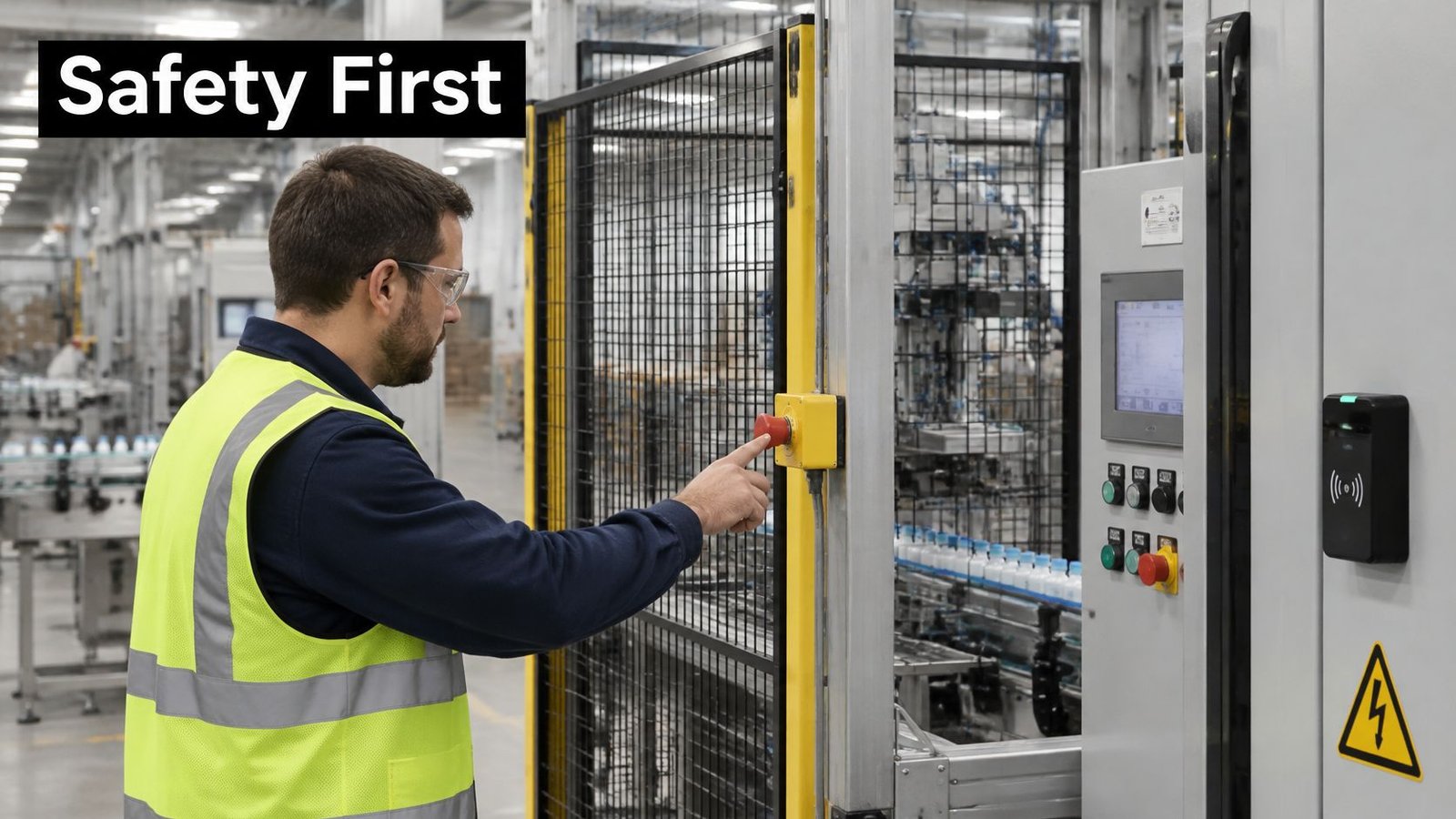
For each hazard, name the safeguard, the control device, and the fail-safe state. Cover guarding, emergency-stop placement, a safety PLC or safety-rated relays, controlled access for maintenance, and behavior when power or communication drops. Then pair each function with a verification method, such as forcing a guard door open to prove the interlock stops motion and prevents restart.
Don't accept "system stops safely" as a requirement. State whether motion coasts, brakes, retracts, dumps air, or holds position, and state what the operator must do before the next cycle can start.
Put the Network Architecture in Writing
NIST's guide to OT security supports logical separation between corporate and control networks, a demilitarized zone between them, independent authentication for control-system users, intrusion detection where feasible, file-integrity monitoring, and redundancy for critical components. Translate that into project requirements for your line.
- Asset inventory: List every PLC, HMI, drive, and managed switch with firmware version and owner.
- Access rules: Require least-privilege accounts and prohibit shared credentials on control equipment.
- Remote access: Make every supplier session approved, time-limited, and logged, with a named internal owner.
- Recovery: Define backups, restore steps, and a recovery target for each controller before an incident tests them.
These decisions belong inside your broader industrial network security approach, not in a side email from IT. The clip below is a useful prompt for discussing how operators respond when a line enters an abnormal state.
Say a supplier leaves a remote session open overnight for convenience. Your requirement prevents that debate later. Sessions expire, activity is logged, and the control network never accepts direct traffic from the office side.
GMP and Validation Requirements for Medical Device Lines
On a medical device line, the requirements package isn't just build instructions. It becomes part of the objective evidence that your equipment performs its intended use consistently.
Start With Regulatory Scope
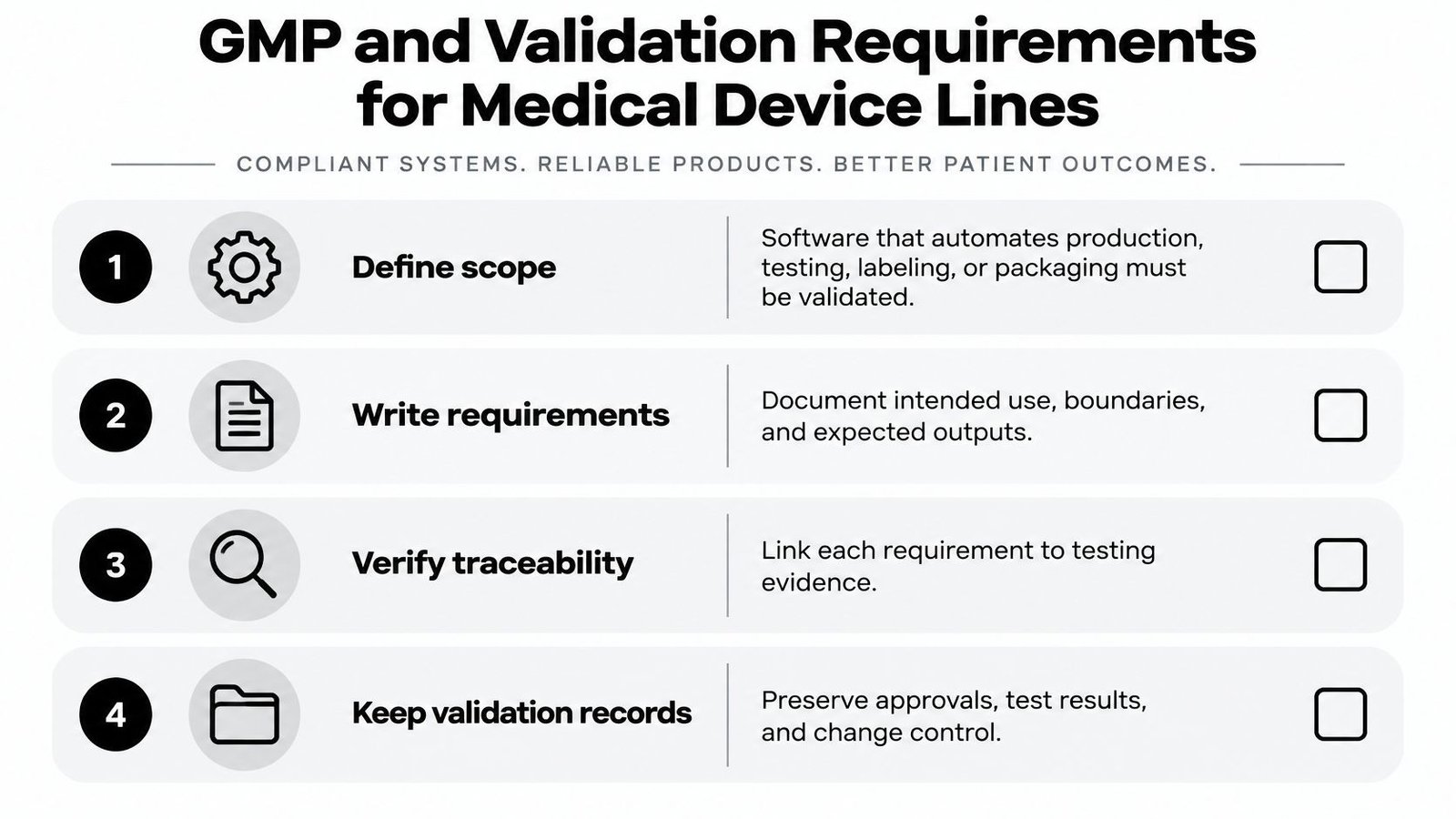
Under the FDA guidance on software validation, software used to automate any part of device production or the quality system must be validated for its intended use under 21 CFR 820.70(i). That scope reaches manufacturing, testing, component acceptance, labeling, and packaging.
The wider framework matters too. According to the FDA overview of device regulation, the FDA QMSR became effective on February 2, 2026, and incorporates ISO 13485:2016 by reference. Your automation requirements should therefore support controlled processes, documented procedures, traceability, and repeatable outcomes, not cycle time alone.
What the Package Must Contain
Build the evidence set in the order a qualification team will use it.
- User requirements: Intended use, process boundaries, and the outputs the station must produce.
- Risk-relevant functions: The software and equipment functions that can affect device quality or patient safety.
- Protocol and acceptance criteria: Test cases, pass values, and approval steps defined before execution.
- Results and summary: Recorded outcomes, deviations, and a validation summary completed before production release.
Then specify the controls behind those documents. Use controlled recipes that operators can't casually edit. Define user permissions, alarm handling, audit trails, electronic records, and recovery behavior after a power or network failure. If the station loses power mid-cycle, the requirement should say whether the in-process unit is rejected, held for inspection, or allowed to resume.
Speed won't rescue weak quality logic. A station may meet cycle time and still fail qualification if it misses rejects, loses traceability, or lets an unauthorized user change a critical parameter. Validate the integrated system, including sensors, fixtures, actuators, software, and operator steps, because interface failures often survive component bench tests and appear only when everything runs together.
Close the loop with change control. Every software update, recipe edit, sensor swap, or fixture change triggers a documented impact review that decides what must be retested. I would confirm each item above exists before the first qualification run, not during it.
Commissioning Tests and ROI Requirements
Requirements decide what commissioning must prove, so write the acceptance tests beside them. If a requirement has no test ID, it can ship unproven without anyone noticing.
Map Every Requirement to a Test
- Installation qualification: Confirms the equipment, utilities, software versions, and safety devices are installed as specified.
- Operational qualification: Challenges each function at its limits, such as force readings, sensor states, alarms, and reject triggering.
- Performance qualification: Runs production-like batches at target rate with trained operators and normal materials.
Structure your provider run-off and site tests around those mappings, consistent with disciplined factory acceptance tests. The question is never "did it run?" It's "which requirement IDs did that run prove?"
Build ROI From Hours and Scrap
Use a plain payback model. Annual labor hours saved times loaded rate, plus scrap and rework avoided, plus throughput value, compared with capital, integration, programming, and validation cost.
Here's an illustrative example. Saving 2 operator-hours per shift on a two-shift line equals 4 hours per day, or about 1,000 hours over 250 operating days. At an illustrative loaded rate of $40 per hour, that's $40,000 per year before counting the value of an illustrative 3 percent scrap reduction. Divide total project cost by total annual benefit to get payback in years.
That discipline matters because budgets are already moving. In Deloitte's 2025 smart manufacturing survey release, 78% of surveyed manufacturing leaders allocated more than 20% of their overall improvement budget to smart-manufacturing initiatives. A ranked requirements list helps you spend your share on the bottleneck first.
Remember that cost climbs with automation level. Design work, specialized components, wiring, and programming grow as scope moves from one station to a full line, and validation grows with them. Rank requirements by payback so phase one buys measurable relief instead of maximum autonomy.
Decide Before You Request a Quote
Don't ask providers to guess which line you need. Run five checks first. Compare semi-automated and fully automated payback using your own hours and scrap figures. Confirm the design can grow without a rebuild by reserving floor space, power, network drops, and I/O slots now. List every existing machine, MES connection, and data format the new system must exchange. Attach the risk assessment and validation scope. Then send the package for review against your process, staffing, and budget.
Growth matters more than day-one sophistication. A manual system from SEA can be upgraded with semi-automation or full automation without starting from scratch, and we design automation systems that integrate with existing equipment and enhance, not disrupt, your production environment. Book a review after the first pilot run, because measured production will change at least one number in your document. That revised version becomes your acceptance baseline.
If you're turning a bottleneck, quality concern, or labor constraint into testable automation system requirements, System Engineering & Automation can help you choose the right level of automation and design around your existing equipment, budget, and production goals. Start with a no-obligation consultation through System Engineering & Automation and bring your draft requirements, cycle targets, and hardest-to-staff tasks with you.