
A lot of plants are running faster than their systems can see.
You can usually spot it in one station. An operator waits for a manual check before releasing a part. A machine trips intermittently, but nobody can prove why because the fault is gone before anyone opens the HMI. A critical assembly step gets extra labor because the team doesn’t trust the process enough to let it run on its own. Throughput stalls, scrap creeps up, and supervisors end up managing exceptions instead of flow.
That’s where real time automation earns its keep. Not as a moonshot project. Not as a full factory rebuild. It works best when you apply it to the exact point where delay, uncertainty, or inconsistency is costing you production.
Table of Contents
- Your Path from Production Bottlenecks to Real Time Automation
- Defining Real Time vs Near Real Time
- The Core Technologies Driving Real Time Control
- Real Time Automation in Action Use Cases
- Key Implementation Considerations for Manufacturers
- Scalable Architecture Patterns for Your Facility
- Calculating ROI and Choosing Your Automation Level
Your Path from Production Bottlenecks to Real Time Automation
Most manufacturers don’t start with a blank sheet. They start with a recurring problem that keeps missing every continuous improvement meeting because production still has to ship.
One common example is a manual station that controls the pace of the line. Another is a semi-automatic machine that works well until variation shows up in the incoming parts. In both cases, people compensate with extra handling, extra checks, or extra labor. That fixes the symptom for a shift. It rarely fixes the process.
Start where delay is expensive
A practical real time automation project begins with one question. What decision must happen immediately for the process to stay in control?
That decision might be:
- Rejecting a bad part: A vision system or sensor has to trigger a diverter before the next index.
- Verifying a critical assembly step: The system must confirm force, position, presence, or torque before allowing the next motion.
- Stopping unsafe motion: Safety devices have to interrupt action without depending on a delayed software layer.
- Capturing the root cause of a fault: The controls platform needs enough live context to show what changed just before the trip.
If you can name that moment clearly, you’re already past the hardest part. You’re no longer talking about “automating the plant.” You’re solving a defined production problem.
Practical rule: Don’t automate an entire workflow because it feels outdated. Automate the point where late information causes bad decisions.
Upgrade the bottleneck, not the whole factory
Many projects go sideways. Teams over-specify architecture before they’ve proved value on the floor. They buy for the eventual perfect system instead of the actual bottleneck in front of them.
A better path is usually phased:
- Instrument the problem station.
- Make one control decision in real time.
- Capture the data that explains failures and delays.
- Expand only after the station performs consistently.
That approach is especially effective in semi-automated environments. You keep the parts of the process where operators add judgment, and you automate the moments where timing and repeatability matter more than manual flexibility.
The result isn’t flashy. It’s useful. The line runs with less waiting, fewer escapes, and fewer mystery faults.
Defining Real Time vs Near Real Time
“Real time” gets used too loosely in manufacturing. If you don’t define it early, you can spend too much on hardware you don’t need, or worse, build a system that reacts too slowly where timing is critical.
A simple way to think about it
The easiest analogy is this: a live video call versus an email.
A video call only works if sound and picture arrive at the right moment and in the right sequence. If they drift, the conversation breaks down. That’s how real time control behaves. The system has to respond within a known time window, predictably, every cycle.
Email is different. A short delay usually doesn’t matter. The message still arrives, and the result is still useful. That’s near real time. It’s fast enough for monitoring, reporting, scheduling updates, and many supervisory functions, but not for time-critical control.
Real Time vs. Near-Real-Time Automation Compared
| Characteristic | Real-Time Automation | Near-Real-Time Automation |
|---|---|---|
| Latency requirement | Response must happen within a tightly defined window | Short delays are acceptable |
| Determinism | Critical. The response time has to be predictable | Helpful, but not usually strict |
| Typical use cases | Motion control, interlocks, machine sequencing, safety-related responses, part tracking at machine speed | OEE dashboards, production reporting, historian review, alerts, scheduling updates |
| Failure impact | Late response can create scrap, downtime, or safety risk | Late response usually affects visibility or decision speed, not immediate machine behavior |
| Typical technology layer | PLCs, dedicated control networks, RTOS-based platforms, edge processing close to the machine | MES, SCADA views, historians, cloud analytics, business systems |
That distinction matters because not every process needs true real time control.
Where manufacturers often overspend
A plant may ask for “real time” data everywhere when what it needs is:
- True real time at the machine level
- Fast supervisory visibility at the cell level
- Near-real-time reporting at the line or plant level
That split usually gives better value than forcing the whole stack into the most demanding performance category.
If a delayed signal can change the outcome of the current machine cycle, treat it as real time. If it only changes what someone reviews or adjusts later, near real time is often enough.
A reject gate on a conveyor is a real time problem. An end-of-shift efficiency report isn’t. A torque verification before release is real time. A trend chart for maintenance review is near real time.
When teams make that distinction early, architecture gets simpler, budget gets tighter, and commissioning usually goes faster.
The Core Technologies Driving Real Time Control
Real time automation works because each layer has a specific job. When the layers are chosen well, the system responds quickly and predictably. When they’re mixed casually, problems show up as nuisance faults, timing drift, or controls that “usually” work.

PLCs, RTOS, networks, and edge processing
The first foundation is the PLC. The modern control model started with the PLC in 1968. Dick Morley’s invention enabled deterministic control loops under 10 milliseconds for critical industrial processes, which is why PLCs are still the default choice for machine-level control today, as noted in ServiceNow’s automation statistics overview.
A PLC is the on-machine decision maker. It reads inputs, executes logic, and updates outputs in a repeating scan. That sounds simple because it is. Simplicity is one reason it survives harsh electrical environments, operator abuse, and years of production changes better than most general-purpose computing platforms.
An RTOS, or real-time operating system, handles a different problem. It guarantees that critical tasks run when they must run. A desktop OS aims for overall responsiveness. An RTOS aims for timing certainty. That’s why it belongs in applications where delayed task scheduling can break control performance.
The network matters too. EtherNet/IP and other industrial protocols carry signals between PLCs, drives, remote I/O, HMIs, and smart devices. This is the system’s nervous system. If the network is noisy, overloaded, or designed without clear priorities, the controls engineer ends up chasing intermittent behavior that looks like logic trouble but isn’t.
For broader context on how these pieces fit into machine and line design, this overview of automation and control systems is a useful reference.
What actually matters on the plant floor
Edge computing earns attention for a practical reason. It places processing close to the machine instead of sending everything upstream first. That reduces delay and avoids building a control strategy that depends on a distant server or cloud service to make immediate decisions.
On most projects, the stack works best when responsibilities stay clear:
- PLC: Immediate machine logic, sequencing, permissives, and interlocks
- RTOS-based layer: Time-critical scheduling and deterministic execution where needed
- Industrial network: Reliable transport between control devices
- Edge layer: Fast local analytics, buffering, protocol handling, and contextual processing
- Supervisory layer: HMI, SCADA, historian, and plant-level visibility
The mistake is asking one layer to do another layer’s job. A historian shouldn’t close a machine interlock. A cloud dashboard shouldn’t decide whether a cylinder may actuate. A PLC shouldn’t become a reporting engine for every business metric in the plant.
The best real time systems are boring in the right places. The machine controls itself locally, the data flows upward cleanly, and nobody is depending on a distant platform to save the current cycle.
Real Time Automation in Action Use Cases
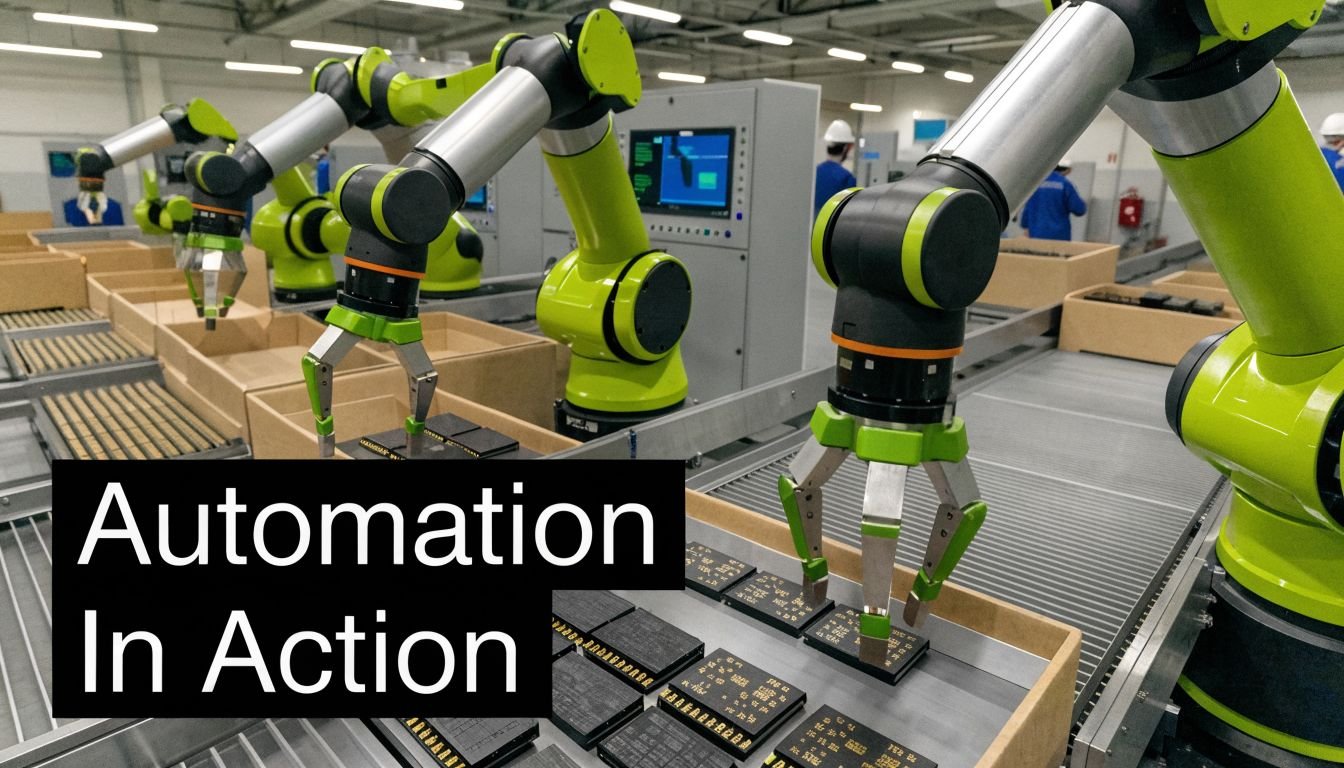
The value of real time automation shows up fastest when the process already has a clear pain point. High-speed inspection is one case. Regulated assembly is another. Both reward fast decisions, but for different reasons.
Fast inspection on a moving line
Consider a conveyor carrying parts past a camera station. If the image system identifies a defect, the reject command has to line up with the part’s actual position, not with where it was a moment ago. That means encoder feedback, inspection timing, and reject actuation all have to stay synchronized.
In practice, the winning approach is rarely “install more software.” It’s tighter coordination between sensors, vision, PLC logic, and mechanical handling. The system needs to know which part was inspected, where it is now, and whether the reject mechanism can fire without creating a jam or false reject.
This is also where retrofits often outperform full replacement plans on cost and downtime. If the base conveyor and machine mechanics are sound, adding sensing, controls, smart tooling, and line-side logic can solve the actual issue without a rip-and-replace project. That’s the same logic behind many legacy automation retrofit strategies. The goal is better control, not needless replacement.
Medical device assembly with traceability built in
Medical device production raises the stakes. For a station, 'running well enough' is not sufficient. It has to execute correctly, record what happened, and support compliance expectations without creating a documentation burden that slows the line.
In that environment, real time automation can tie together presence sensing, guided assembly, torque or force verification, barcode validation, and pass/fail release logic at the station level. The operator still performs value-added work when needed, but the system prevents skipped steps and captures the evidence automatically.
For medical device and GMP-aware production, real-time automation has been shown to reduce process error rates by 40-75% while improving compliance through automated audit trails and data logging, according to the earlier-cited ServiceNow source.
A short video helps illustrate how tightly coordinated automation can support repeatable production behavior:
That combination matters because traceability is only useful if it reflects what really happened at the moment of assembly. Late entries and manual reconstruction create doubt. Real time data capture creates confidence.
- For quality teams: You get immediate confirmation that critical process parameters stayed in range.
- For production teams: Operators spend less time on manual recording and rework.
- For engineering teams: Faults become diagnosable because the system preserves sequence and context.
The common thread in both use cases is simple. The system doesn’t just report conditions. It acts while the current cycle still matters.
Key Implementation Considerations for Manufacturers
A real time project can fail even with good hardware if the front-end assumptions are wrong. Most problems show up before commissioning. The team either asks the system to respond faster than the process requires, or it ignores a hidden dependency that slows data or complicates validation.
Start with the response requirement
The first question isn’t “Which platform do we like?” It’s “How fast must this decision happen, and what happens if it’s late?”
That forces useful design choices. A safety interlock, a press force limit, and a reject gate don’t belong in the same category as a production trend chart. If you group them together, you either overbuild the reporting layer or underbuild the control layer.
A solid pre-project review usually checks these points:
- Response window: Which actions must happen inside the machine cycle, and which can wait for supervisory processing?
- Determinism need: Does the process require consistent timing every cycle, or just generally fast updates?
- Failure mode: If a signal arrives late, do you get scrap, downtime, safety exposure, or only delayed visibility?
- Data ownership: Which data stays local for immediate control, and which data moves upward for analysis?
Safety, validation, and legacy integration
Safety has to stay independent and immediate. Light curtains, interlocks, E-stops, and safety relays or safety PLCs shouldn’t depend on a non-deterministic data path. Plants sometimes blur this line when they try to make one architecture do everything. That usually creates trouble in troubleshooting and in risk review.
Validation matters just as much in regulated production. If the process is GMP-aware, engineering decisions must support repeatability, traceability, controlled changes, and evidence that the automated behavior matches the intended function. That affects software structure, alarm handling, user access, data capture, and testing discipline.
One of the biggest blind spots is data ingestion. Industry surveys show 60-70% of mid-sized plants struggle with legacy system compatibility, and those delays can undermine the purpose of real-time analytics and control, according to CrateDB’s review of real-time analytics and AI readiness.
A system isn’t real time just because the dashboard looks live. If the data arrives late from legacy equipment, the decision is already behind the process.
That’s why gateway strategy matters. The controls layer may be solid, but if older equipment exposes data poorly, the project still feels slow and fragile. Before committing, check protocol access, tag availability, timestamp quality, and whether the machine can share state cleanly without disrupting production.
Scalable Architecture Patterns for Your Facility
Most manufacturers don’t need one giant architecture. They need a pattern they can repeat. The right pattern depends on where the process is today and how much change the operation can absorb without disrupting output.
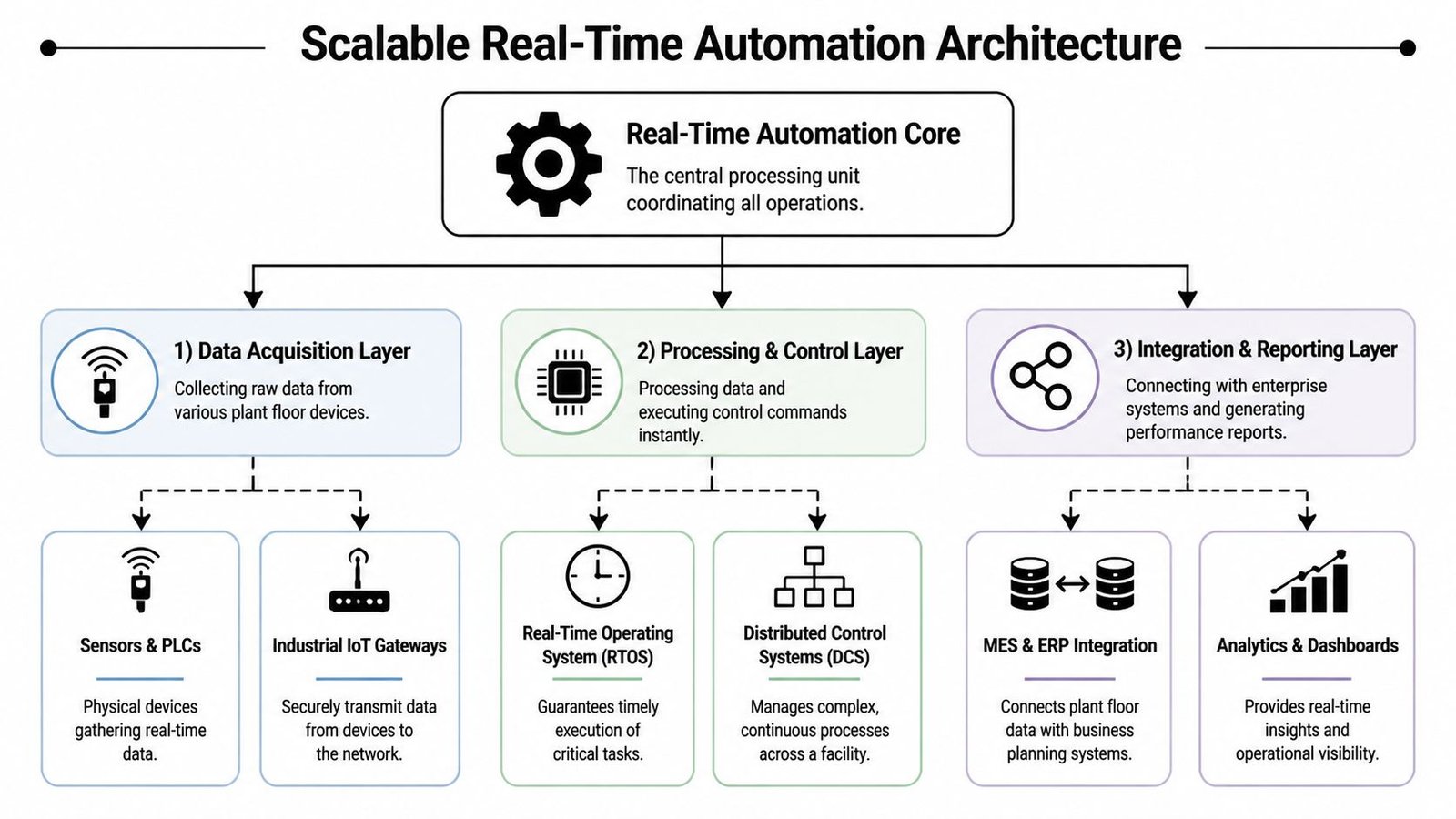
Three patterns that scale without forcing a rebuild
Smart workstation
This is the fastest way to prove value. A manual or lightly assisted station gains sensors, smart tooling, barcode checks, and a PLC-based control layer. The operator still loads parts and performs selective tasks, but the workstation verifies critical conditions before release.
This pattern fits processes with repeatability issues, missing component risk, or heavy manual documentation.
Cellular automation
A small group of stations gets linked into one semi-automated cell. Material transfer, part presence, station permissives, and quality checks start coordinating across the cell instead of living as isolated decisions. That reduces operator variability and creates cleaner production flow without forcing full line automation.
This pattern works well when one station improvement reveals that the real bottleneck is between stations.
Integrated line
A broader line-level architecture connects machines, cells, and higher-level monitoring into one structured system. Within this system, open data models become much more valuable because different equipment types need to share state without custom translation work for every device.
Where open standards help
MTConnect is useful here because it enforces common data semantics across multi-vendor devices. That reduces integration overhead by 40-60% and supports scalable upgrades without locking the plant into one proprietary protocol, as described in Real Time Automation’s MTConnect overview.
That matters most in facilities with mixed equipment generations. One machine may expose rich operational data. Another may barely provide the basics. A standard data model gives analytics, dashboards, and reporting tools a cleaner foundation to work from.
A practical architecture usually grows in this order:
- Stabilize one workstation
- Connect related stations into a controllable cell
- Standardize data flow across the line
- Add centralized monitoring once the lower layers are reliable
Open standards don’t remove engineering work. They remove a lot of repetitive engineering work.
That distinction affects budget. Plants often assume scalability requires immediate line-wide replacement. In reality, a repeatable architecture pattern usually gives better ROI because each phase adds function without discarding the previous investment.
Calculating ROI and Choosing Your Automation Level
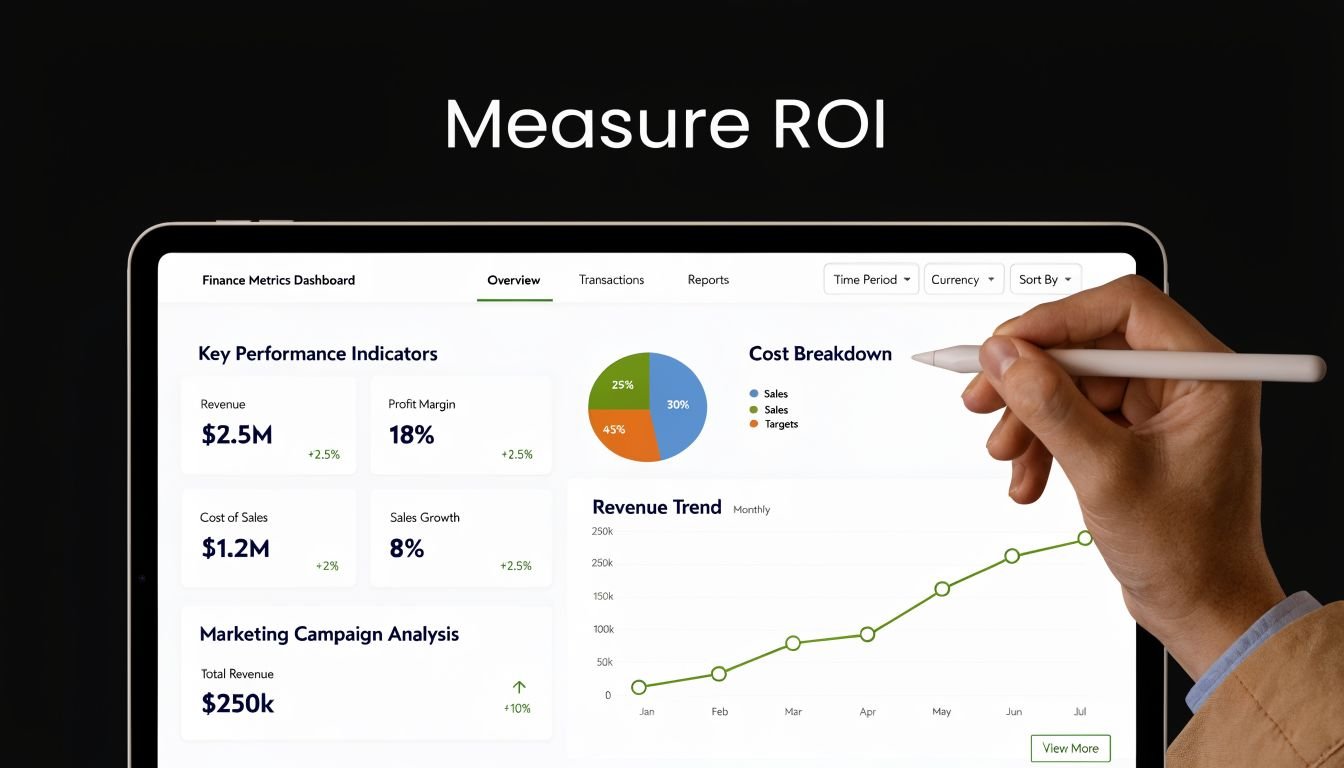
The wrong ROI discussion starts with equipment price alone. The better one starts with the production constraint that’s already costing you money.
If a station creates waiting, rework, scrap, excess inspection, or repeated troubleshooting, you already have an economic case. The job is to make that cost visible enough to compare against the upgrade.
Build the case from one constraint
Track the process before you automate it. Count the stoppages, false starts, manual checks, operator touches, and quality holds tied to that station. Then estimate what changes if the system makes the critical decision in real time instead of relying on delayed human intervention.
The business case usually improves when you include:
- Labor dependency: How much skilled attention does the process consume just to stay stable?
- Quality cost: What do escapes, rework, and over-inspection add to each batch or shift?
- Throughput loss: How often does the bottleneck force upstream or downstream waiting?
- Support burden: How much engineering or maintenance time goes into repeated troubleshooting?
According to Thunderbit’s automation industry data summary, automation investments often deliver 30% to 200% ROI in the first year, and 60% of organizations achieve payback within 12 months through efficiency gains and labor cost reductions.
Pick the level that fits the process
The right answer isn’t always full automation. Often it’s one of these:
- Manual with smart verification: Best when operator judgment still adds value, but the station needs mistake-proofing.
- Semi-automated cell: Best when repeatability, pacing, and traceability matter more than total lights-out operation.
- Fully automated system: Best when volume, part consistency, and process stability justify the added complexity.
A useful rule is simple. If the product changes often, labor still handles exceptions well, and budget is tight, start with semi-automation. If the product is stable and the station repeats the same cycle endlessly, fuller automation may pay back faster. This broader view of automation advantages beyond upfront cost aligns with what most plants discover after their first successful upgrade.
System Engineering & Automation helps manufacturers choose the right level of automation for the process in front of them, whether that means smart tooling at one workstation, a semi-automated cell, or a broader integrated solution. If you’re looking for a practical path to better throughput, traceability, and ROI without overbuilding the project, explore System Engineering & Automation.