The shift is underway, orders are waiting, and your assembly team is working around a station that can't keep pace. You're considering automation, but the difficult question isn't whether a machine can perform the task. It's whether the proposed system will improve production enough to justify its cost, complexity, and ongoing support.
Table of Contents
- The Automation Decision Every Manufacturer Faces
- What Automated Assembly Systems Are and How They Work
- Full Automation Versus Semi-Automation
- Throughput Engineering and Bottleneck Management
- Where to Start Choosing Automation Targets
- The People and Data Behind a Successful System
- A Staged Path from Manual to Semi-Automated
- Making the Right Automation Investment
The Automation Decision Every Manufacturer Faces
A production manager watches assemblies accumulate ahead of a fastening station. Operators are busy, overtime is becoming routine, and the equipment proposal on the desk promises a fully automated line. Yet the product team is still changing components, and nobody has settled how frequently production will switch between variants.
That's where an automation decision should begin: with the production conditions, not the equipment catalog. A machine that performs well on a stable assembly may become difficult to justify when demand shifts or tooling needs frequent modification.
The right automation level is the one that solves the production problem without creating a larger operating burden. For some manufacturers, that means a dedicated line. For others, it means a controlled press, an error-proof fixture, or a workstation where an operator loads parts and the equipment performs the critical operation.
Define the problem before specifying equipment
An equipment requirement should identify what production needs to improve and what must remain flexible.
- Capacity: Establish whether customer demand exceeds demonstrated output or whether scheduling and downtime explain the shortfall.
- Quality: Identify the assembly characteristics that operators struggle to control or verify consistently.
- Labor dependency: Separate repetitive handling from work that requires judgment, adjustment, or troubleshooting.
- Commercial exposure: Consider how uncertain demand, design changes, and available capital affect the investment.
A proposal that addresses only nominal cycle time leaves too much unanswered. Ask what happens during changeover, how rejected assemblies leave the process, and who restores production after a fault.
Practical rule: Buy a defined production capability, not the highest possible level of automation.
For operations managers, the useful comparison isn't a manual line against an ideal automated line. It's the current process against alternatives that your team can operate, maintain, and afford. Manufacturing solutions should optimize the whole production system, including the services required to keep it useful after installation.
What Automated Assembly Systems Are and How They Work
A fastening cell can pass a dry run at rate and still lose the shift when a part is loaded backward, a pallet bypasses a stop, or a fault code gives the operator no recovery step. I treat that gap between demonstrated motion and dependable output as the definition of an automated assembly system: equipment, tooling, controls, and material movement coordinated so repeatable operations happen under known conditions, whether the sequence runs end to end or only the risky steps sit inside an operator-assisted station.
Ford Motor Company remains the clearest benchmark because the gain came from coordination before modern robotics. On October 7, 1913, Ford introduced its moving assembly line at Highland Park, Michigan, combining interchangeable parts, divided tasks, controlled material flow, and movement of the workpiece past stationary operators. The early chassis line followed a 150-foot path with approximately 140 assemblers; assembly time fell from about 12.5 hours to approximately 5 hours and 50 minutes, then reached about 93 minutes by early 1914, as documented in the Model T Ford Club of America's historical account.
The diagram shows how those same elements fit together in current equipment.
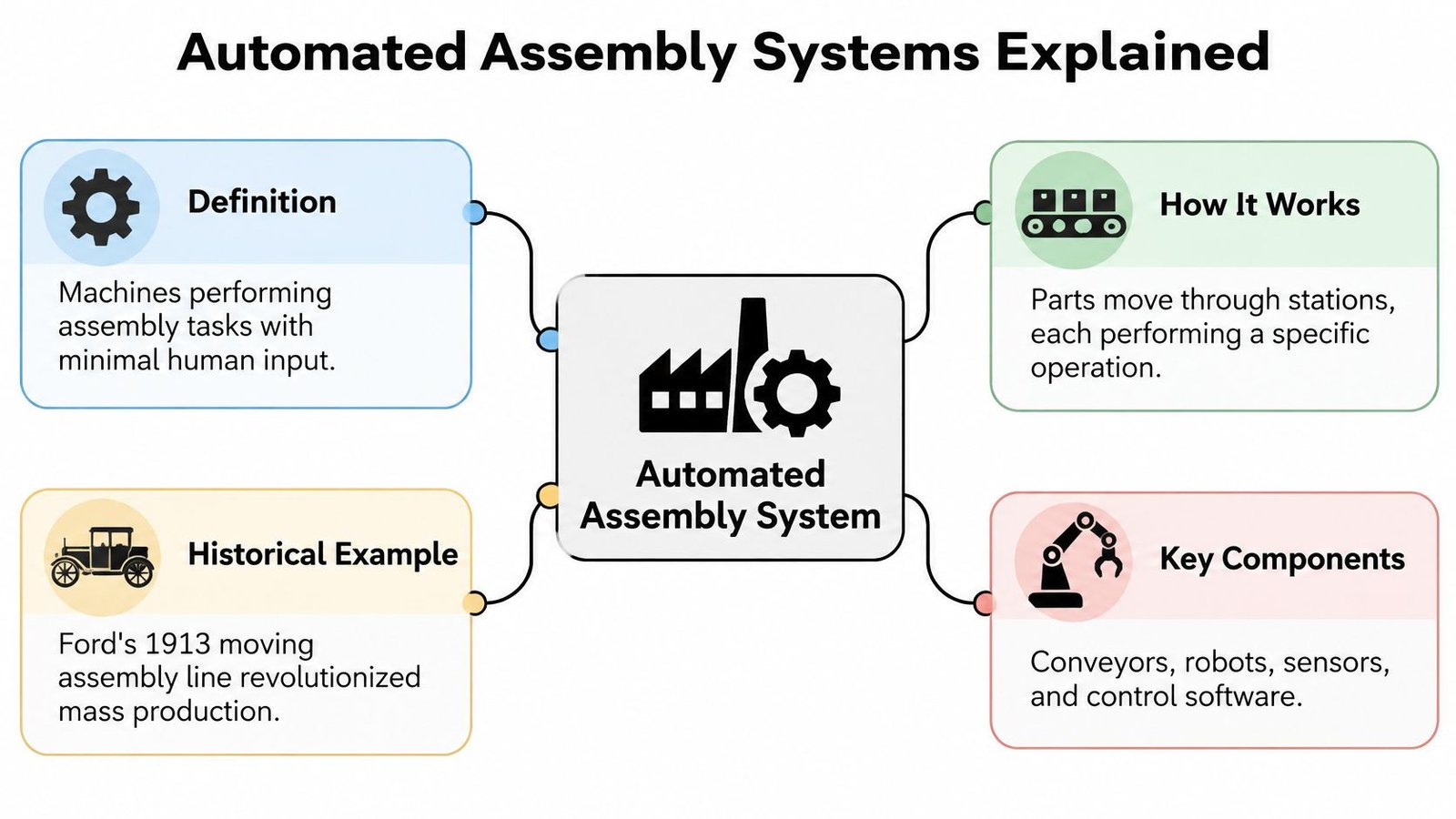
Treat the station sequence as evidence. A component arrives and is identified. Tooling locates it and resists the process force. The controller checks part presence, orientation, clamp state, and recipe before motion starts. Presses, drivers, transfer mechanisms, or robots then execute. Sensors confirm the result, the human-machine interface exposes the fault and recovery path, and release logic decides whether the assembly moves on, gets contained, or requires intervention.
The design question is where judgment still belongs. Manual stations keep execution with the operator. Semi-automated cells give the machine the repeatable, forceful, or error-prone moves while people handle variation and exceptions. Fully automated lines connect those proofs across stations with little routine handling. Robots can support either architecture; coordinated process control is the underlying requirement.
A specification should state the conditions for every transition. A fastening operation needs more than an expired timer. It should start after the controls establish that the assembly is located correctly, the required components are present, the fastener program is valid, and the escape path for a reject is defined. That discipline turns equipment into production capability.
Full Automation Versus Semi-Automation
Full automation makes sense when a manufacturer can keep the equipment productive across a sufficiently stable product and demand profile. Semi-automation deserves serious consideration when variation, changeovers, or uncertain volumes make a dedicated system harder to justify.
Cost remains a practical constraint. Auburn University's smart-manufacturing report identifies high cost as the leading automation barrier, followed by workforce skill gaps, capital requirements, and labor shortages; the accompanying survey findings include 10% reporting completely automated key decision-making, roughly one-third remaining mostly or completely manual, and 43% adopting technology or automation during the preceding 12 months. Decision-making automation isn't the same as assembly automation, but the distinction reinforces why broad adoption figures shouldn't dictate an equipment choice.
This comparison highlights the main architectural differences.
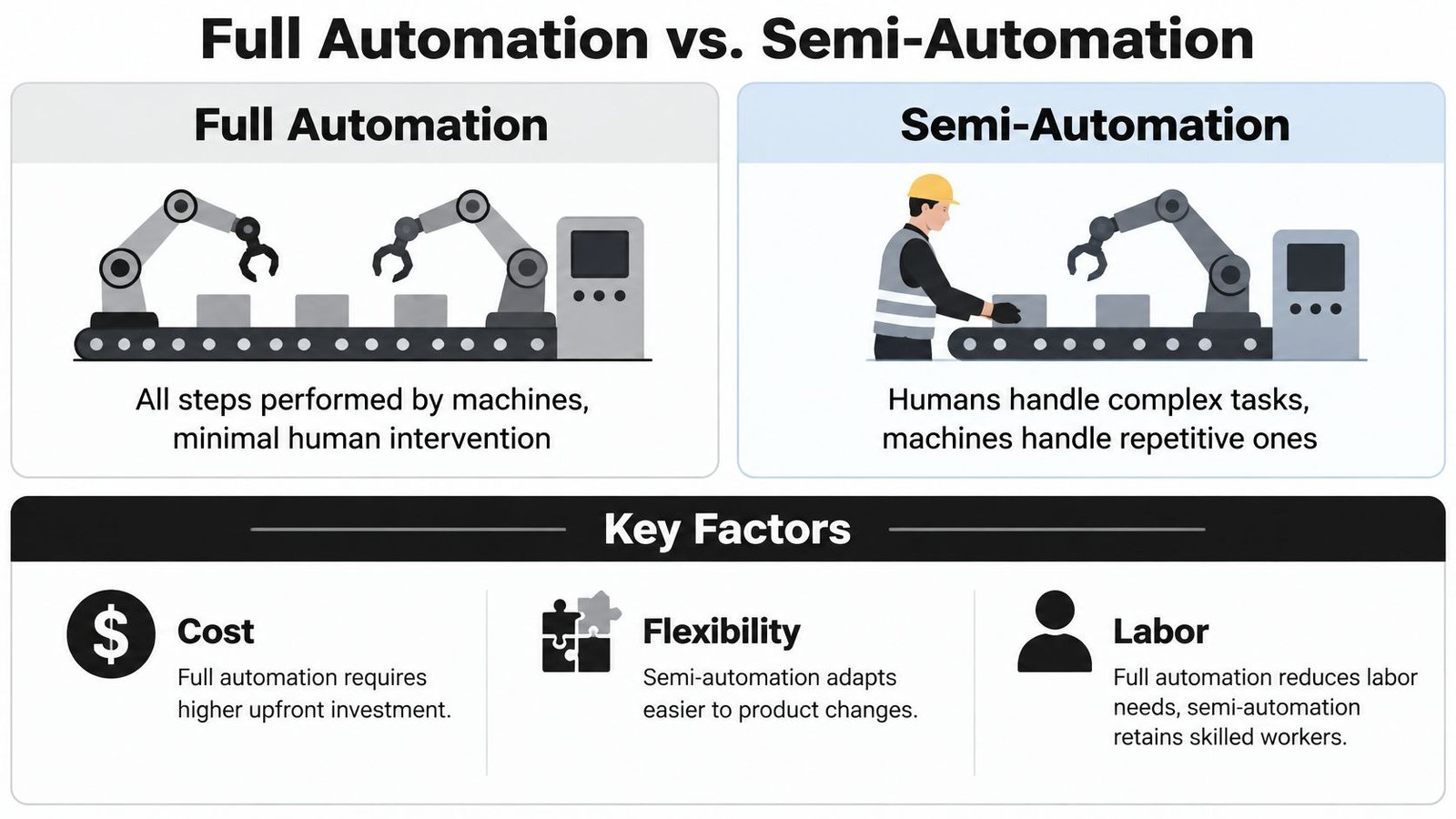
Compare the installed process, not just the purchase price
| Decision factor | Full automation | Semi-automation |
|---|---|---|
| Capital commitment | Evaluate feeding, transfers, guarding, controls, and integration together | Concentrate investment on selected operations |
| Product variation | Confirm that tooling and recipes accommodate the actual product family | Retain operator handling where variation is difficult to mechanize |
| Changeover | Include mechanical adjustments and restart verification | Assess fixture exchange, recipe selection, and operator setup |
| Skills | Plan for controls, maintenance, and fault diagnosis | Plan for operator technique as well as technical support |
| Payback | Test utilization and demand assumptions carefully | Include retained labor and handling time honestly |
Consider an assembly with awkward component orientation but a tightly controlled fastening requirement. An operator-loaded fixture with automated fastening and result verification may be more appropriate than a complex feeding system. Conversely, a stable component presented consistently may justify automated loading and transfer.
Semi-automation isn't automatically cheaper over the equipment's life. Retained labor, operator availability, and repetitive handling still belong in the comparison. Full automation isn't automatically faster to recover, either; an integrated transfer fault can interrupt otherwise capable stations.
Treat changeover as production time
Compare alternatives across the expected product mix, not just the longest uninterrupted run. Include setup, first-piece approval, restart losses, consumables, maintenance, and engineering support.
Labor also changes rather than disappearing. Someone still owns replenishment, setup, quality decisions, and troubleshooting. Select the architecture that fits those responsibilities instead of assuming that fewer operators means less organizational effort.
Throughput Engineering and Bottleneck Management
One insertion operation runs consistently slower than everything around it, and the entire line waits. The tempting response is to speed up the transfer system or add capacity across the board. In practice, the better move is often to duplicate only that operation with parallel or tandem-gated stations, provided the routing, buffering, synchronization, and recovery behavior can support it.
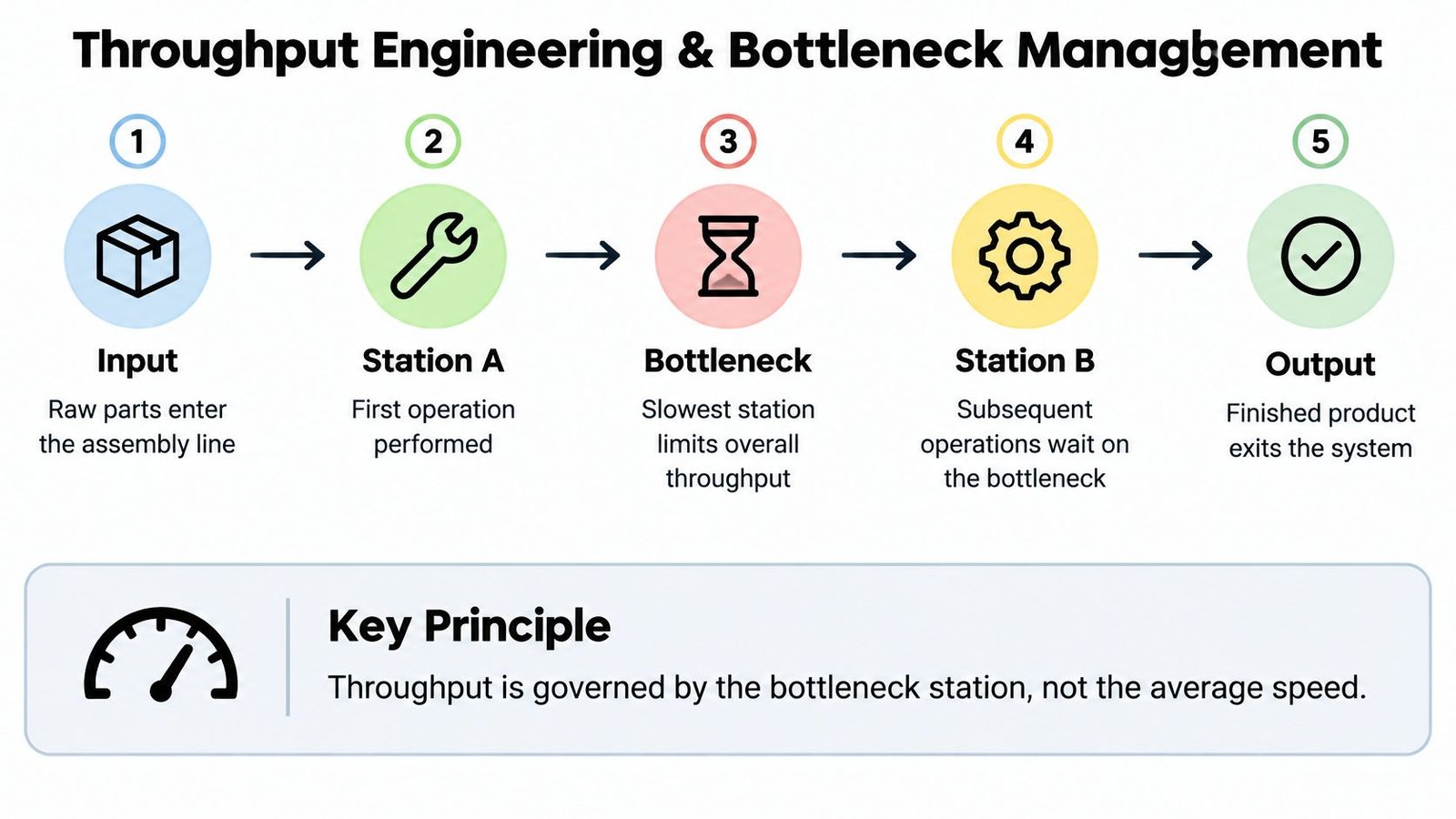
The slowest effective operation sets line output, so making an already-fast transfer faster accomplishes little while a fastening station holds up production. Before committing to a second station, four questions determine whether it will add real capacity. Can completed work wait safely upstream when the constrained operation stops? Will downstream stations still receive enough assemblies to stay productive? How do parts enter, leave, and bypass parallel stations without losing identity or process status? What happens to assemblies already inside the equipment when a station faults?
A second bottleneck station adds useful capacity only if the surrounding system can feed it, accept its output, and recover from interruptions.
Measure variation before adding capacity
Record more than the fastest successful cycle. Capture normal running, replenishment, retries, stoppages, and recovery, because nominal timing figures mislead when cycles vary and equipment interrupts.
A demonstration proves feasibility. Repeated testing is what reveals capability.
NIST's assembly capability benchmarking guidance supports repeated, task-based evaluation for operations including peg insertion, gear meshing, connector insertion, and nut threading. Applied to your own station, that kind of testing shows whether parallel capacity will hold up under production conditions rather than under demonstration conditions.
I have seen plants gain more from buffering a single constrained operation than from adding an entire second station. Use production line balancing to connect those observations to station allocation, and run simulation when variable cycles and equipment interruptions make nominal timing misleading.
The following video provides additional assembly-system context.
On a semi-automated project, measure the manual process and test the proposed automated operation before committing to the full layout. Improve the operation with the greatest capacity gain first, then verify that the constraint has not moved somewhere less visible.
Where to Start Choosing Automation Targets
A connector that seats inconsistently on second shift. A ten-meter walk between the press and the gauge. Two inspectors who disagree on the same bore. Observable losses like these give you a real starting point, while a general directive to automate gives you nothing to measure against.
The Vention and IndustryWeek manufacturing automation report offers one way to scan for candidates, and the Common Automation Applications and Reported Benefits table summarizes its application shares. The same report associates automation overall with 52% improved quality, 50% higher throughput, and 48% reduced operating costs. Those benefit figures describe the survey overall, not a measured application-by-application relationship.
| Application | Share of Manufacturers | Top Associated Benefit |
|---|---|---|
| Material handling | 48% | Evaluate handling effort and transfer consistency |
| Quality control | 42% | Evaluate inspection repeatability |
| Machining | 40% | Evaluate machine utilization and loading consistency |
Treat the final column as evaluation priorities rather than survey-proven benefit rankings for each application. The figures identify candidate areas; they do not predict what your plant will gain.
Build the opportunity list from the process itself. Follow assemblies through normal production, including queues, checks, and rework, and document each step using process mapping best practices. Where the map shows recurring loss, tie that loss to its mechanism before pricing equipment.
| Observed loss | Mechanism to check | Intervention worth testing |
|---|---|---|
| Handling time between stations | Poor part presentation or transfer path | Dedicated tooling or repositioned fixtures |
| Ergonomic burden on operators | Repeated force, reach, or lift | Fixture with assisted or guided motion |
| Inspection variation | Ambiguous acceptance criteria | Sensing or guided work instructions |
| Idle equipment between cycles | Inconsistent loading or part location | Selective motion control at the constraint |
The match matters more than the technology. A part-presence sensor will not correct a dimensional mismatch, and automated inspection will not stabilize an uncontrolled joining process. Pick the intervention that removes the cause; automating a symptom only makes it easier to count.
Prefer a bounded first application with a named owner. An isolated workstation upgrade lets engineering test the approach and quality review the evidence before broader integration commits capital. Define upfront what production evidence would justify keeping and expanding the improvement.
The People and Data Behind a Successful System
A machine can pass an acceptance test and still struggle after handover if nobody owns its maintenance, recipes, or recovery procedures. Operational readiness belongs in the project scope, not in a training session added at the end.
Aptean's manufacturing technology trends research reports that nearly 40% of manufacturers lacked sufficient automation design, deployment, or maintenance expertise; a separate global survey cited there found 48% planned to repurpose or hire workers because of smart-manufacturing investments, while 41% used AI and automation to address skills shortages. Those findings support planning for changed responsibilities rather than assuming equipment eliminates the need for expertise.
Operators and technicians need usable information at the machine, not just access to a dashboard.

Assign ownership before handover
- Maintenance ownership: Name who performs preventive work, holds critical spares, and escalates unresolved faults.
- Training: Have technicians practice setup, diagnosis, and recovery before they inherit production responsibility.
- Data governance: Control recipe revisions, acceptance limits, access permissions, and assembly-record relationships.
- Fallback procedures: Define permitted manual recovery and how quality authorizes affected product disposition.
Useful records should answer production questions. A reject count without the reason, recipe, or affected assembly identity may leave quality staff unable to distinguish a process problem from a setup error.
Validate the intended production use
For medical-device production, equipment capability and process validation are related but different obligations. FDA software-validation guidance states that software automating device production or quality-system activities must be validated for intended use, with effort proportionate to risk, complexity, and reliance on the automated process; processes whose results cannot be fully verified later require validation with a high degree of assurance.
Translate that requirement into controlled parameters such as insertion force, torque, temperature, dispense volume, and vision acceptance limits. Define objective acceptance criteria, foreseeable faults, change control, and ongoing monitoring.
Handover test: Your production team should be able to explain how it knows the process remains acceptable, not merely how to restart the machine.
Automation alone doesn't establish compliance. People, procedures, records, and validated controls must work together.
A Staged Path from Manual to Semi-Automated
A staged project should preserve useful engineering work as production requirements develop. It shouldn't leave the manufacturer with disconnected equipment that must be discarded before the next improvement.
Start by defining the assembly interfaces that are unlikely to change: locating surfaces, critical process characteristics, product identification, and operator access. Those decisions provide a basis for a workstation that can accept additional capability later.
Establish a reusable foundation
An initial build might use manual loading, dedicated locating tooling, and a controlled assembly operation. Specify service access, replaceable wear items, and clear interfaces between the fixture and controls so future modifications don't require unnecessary reconstruction.
- Prove the tooling: Confirm that actual production components locate consistently and can be removed without damage.
- Reserve useful interfaces: Plan space, signals, and mechanical connections for likely additions rather than speculative features.
- Document the baseline: Retain drawings, operating settings, acceptance criteria, and lessons from commissioning.
SEA's engineering model is one option for this approach, alongside in-house development or other integrators. It specializes in semi-automatic systems while also providing manual and fully automated equipment, custom tooling, fixtures, and integrated controls.
Expand against a demonstrated need
The next investment might connect stations, automate a transfer, or add selective motion control. Make that decision after the initial equipment has demonstrated its value under the intended operating conditions.
This prevents a common specification problem: buying future capacity without agreeing on the conditions that would make it necessary. Define an expansion trigger, such as a sustained capacity constraint or an approved product-family requirement, before authorizing the additional scope.
Support matters throughout that progression. SEA's stated delivery scope runs from consultation and preliminary concepts through design, manufacturing drawings, sourcing, installation, and commissioning, with maintenance and ongoing technical support beyond equipment delivery.
Ask an integrator to explain what should remain manual as clearly as what should be automated. A useful recommendation accounts for serviceability, budget, and production uncertainty instead of treating complete automation as the inevitable destination.
Making the Right Automation Investment
Choose automated assembly systems by comparing operating outcomes under credible production conditions. The strongest proposal explains its assumptions, identifies unresolved risks, and defines how the manufacturer will verify success.
The investment interest is substantial: Deloitte's Smart Manufacturing and Operations Survey found 46% ranked process automation among their top investment priorities and 37% did the same for physical automation; respondents implementing smart-manufacturing initiatives reported average gains of 10%–20% in output, 7%–20% in employee productivity, and 10%–15% in available capacity, while 78% allocated more than 20% of improvement budgets to smart manufacturing. These are broader smart-manufacturing results, not guaranteed returns from an assembly-machine purchase.
Review the decision as an operating commitment
Before approving a concept, confirm that the comparison addresses:
- Demand and volume: The expected workload and the consequences of lower utilization.
- Product stability: Approved designs, component variation, and likely engineering changes.
- Changeover requirements: The production mix and the work required to switch safely.
- Total ownership: Installation, training, consumables, maintenance, and technical support.
- Evidence: A testable acceptance plan tied to the manufacturing problem.
Use an automation ROI calculator to structure the financial comparison, then challenge the inputs with production, quality, maintenance, and finance. Don't count theoretical capacity as revenue unless there's a credible way to use it.
The right investment is a production capability your organization can sustain. Treat automation as an ongoing engineering and operating commitment, with expansion earned through demonstrated results rather than assumed from an impressive concept.
System Engineering & Automation offers custom tooling, fixtures, integrated controls, and manual, semi-automated, and fully automated manufacturing equipment, supported by installation, commissioning, and ongoing service. Visit System Engineering & Automation to discuss your assembly constraints, product mix, and production goals, and identify an appropriate scope for your next manufacturing improvement.