You have a station that's always behind. Orders are waiting, operators are working overtime, and quality slips when the shift gets tired. A supplier offers a line that promises to double output, and the quote looks tempting because buying equipment feels like progress.
I'd hold off. A sound automation implementation strategy starts with the constraint you've measured, not the machine you've been sold. For many small and mid-sized plants, the best end state isn't a fully automated line. It's a smart fixture, a semi-automated workstation, or a targeted inspection step that removes the loss without removing your flexibility.
Table of Contents
- Six Phases from Constraint to Scale-Up
- Readiness Check and Pilot Go or No-Go
- ROI, Payback and Risk Analysis
- Semi-Automated, Fully Automated or Tooling Compared
- Pilot Acceptance Criteria and KPIs to Track
- Controls, Validation and GMP Requirements to Plan For
- Sourcing, Commissioning and Team Handover
Six Phases from Constraint to Scale-Up
Say a plant buys a new packaging line because packaging looks slow. A month later, the team finds the constraint is upstream test capacity. Packaging now waits faster, inventory piles up between stations, and the payback case is dead. That mistake happens when a purchase comes before measurement.
The McKinsey survey of heavy-industry automation shows why discipline matters. Although 88% of heavy-industry respondents had begun or planned an automation transformation, only 4% reported significant bottom-line improvement, while more than 40% still considered their organizations successful against automation targets. Respondents commonly expected payback within six months to three years, and faster value capture distinguished more successful organizations.
Treat each phase as a contract. It needs a named owner, a documented business case, and an exit gate. If the gate doesn't pass, you stop or repeat the phase. You don't move on and hope installation fixes it.
| Phase | Key question | Output | Exit gate |
|---|---|---|---|
| 1. Constraint and baseline | Where does the line lose time, quality or labor? | Baseline cycle time, yield, labor content, downtime, safety and quality cost | Baseline measured for at least four weeks |
| 2. Process selection | Is the process narrow, repeatable and stable? | One chosen workstation with defined inputs | Owner and business case approved |
| 3. Interface mapping | How do fixtures, controls, operators and quality systems connect? | Interface diagram and controls specification | All interfaces reviewed by operations, maintenance and quality |
| 4. Pilot | Does the workstation meet acceptance criteria? | Measured results against written targets | Throughput, first-pass yield, changeover, ergonomics and MTBF met |
| 5. Training and ramp | Can operators and maintenance run it without the integrator? | Skills matrix and controlled ramp record | Operators certified and ramp stable at target output |
| 6. Standardize and replicate | Is the design ready to copy? | Standard design package and replication plan | Design frozen and documented for each new site or line |
Why the gate matters more than the timeline
Phase 1 protects every later decision. If you can't state where time, labor, or quality is lost in numbers, you can't judge a vendor's claim. Phase 3 is where projects fail, because a cell that works alone can still starve the next station, reject good parts downstream, or create records quality can't use.
Practical rule: No phase starts on a verbal promise. It starts when the previous gate has written evidence and a sign-off.
Modular tooling and a manual fallback mode fit this sequence well. They let you prove one workstation, capture value early, and keep production moving while you learn.
Readiness Check and Pilot Go or No-Go
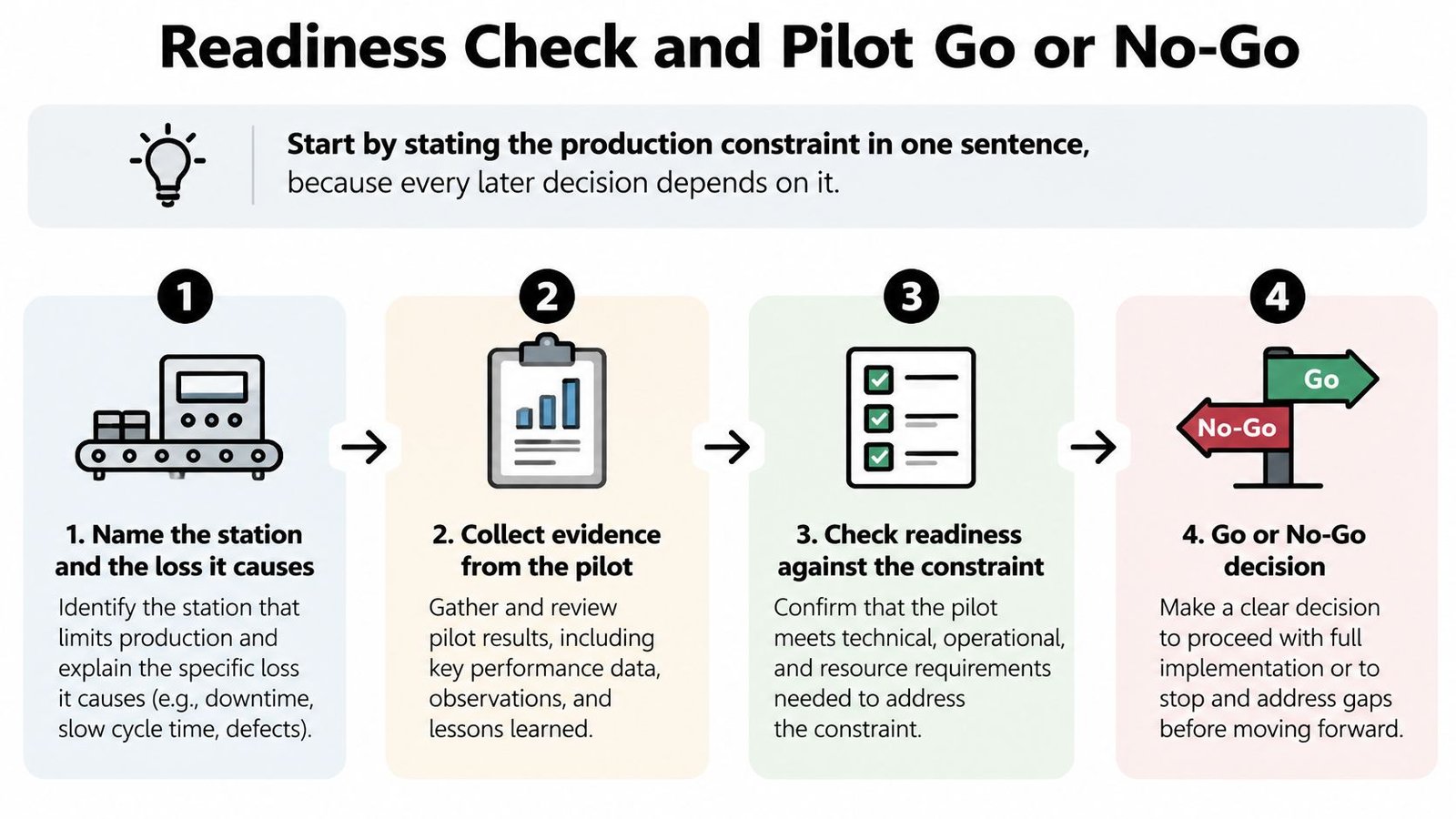
Start by stating the production constraint in one sentence, because every later decision depends on it. "Final test loses output to retests and waiting" is usable. "We need more automation" is not.
The Deloitte 2025 smart manufacturing survey found that 65% of manufacturers ranked operational risk as a first- or second-priority concern in smart-manufacturing initiatives, 35% identified adapting workers to advanced technology as a top concern, and 48% reported moderate-to-significant difficulty filling production and operations-management roles. Workforce, risk, and data readiness are engineering workstreams, not tasks for after installation.
Six readiness steps
- Name the station and the loss it causes: Identify the exact workstation, the products affected, and whether the loss shows up as waiting, scrap, rework, overtime, or safety exposure.
- Collect four to six weeks of baseline data: Record cycle time, first-pass yield, labor content per unit, downtime hours, safety incidents and near misses, and quality cost. Use normal production weeks, not your best week.
- Check data quality: Verify sensor accuracy, timestamp consistency, batch genealogy, alarm classification, and interfaces to your MES or QMS. Bad timestamps and vague alarm codes will corrupt every pilot conclusion.
- Build a skills matrix: Cover setup, troubleshooting, calibration, and preventive maintenance. Record who holds each skill today, who is the backup, and which gaps need training before go-live.
- List hazards and failure modes: For each fault, write the safe state, the manual recovery steps, who can restart the process, and what evidence must be kept.
- Set downtime and quality-risk budgets: Decide in advance how much lost output or suspect product triggers a pilot stop. Don't negotiate that limit during a bad shift.
Have operations, maintenance, quality, controls, IT/OT security, and the operators who'll run the process sign the list together. If maintenance hasn't reviewed access for calibration, or quality hasn't approved the records, you're not ready.
Five questions before you spend
Apply the go or no-go test plainly. Is the constraint measured with at least four weeks of baseline data? Does the data pass the quality gate? Is the process narrow, repeatable, and stable? Are acceptance criteria written and agreed by operations, maintenance, and quality? Who owns the pilot and its business case?
If any answer is no, fix it before spending. A business still running largely on manual labor might benefit more from tooling and fixtures than from automation, then move to semi-automated systems later when volume and stability justify it.
If you can't yet answer those questions, you can request a no-obligation consultation with System Engineering & Automation (SEA). We review current challenges and bottlenecks, labor and production constraints, quality or consistency concerns, and budget and timeline expectations, and we advise whether a fully automated system is necessary. Bring your baseline data, a process sketch, and a list of current constraints.
ROI, Payback and Risk Analysis
Build the business case before you accept any quote. A vendor's payback model usually assumes full utilization, clean inputs, and no ramp losses. Your model shouldn't.
Four steps that keep the case honest
Step 1. Estimate annual value from your baseline. Count throughput gain only if downstream stations and customer demand can absorb it. Add scrap reduction, labor redeployed to useful work, and downtime avoided. Separate recurring value from one-time costs for tooling, integration, validation, training, and spares.
Step 2. Test sensitivity, not just the expected case. Run low, expected, and high cases for utilization, scrap reduction, maintenance labor, and ramp-up losses. If the project only pays back when every assumption goes right, it's not ready. Narrow the scope until the low case is still defensible.
Step 3. Treat a long payback as a scope signal. Don't respond by inflating labor savings or assuming a second shift you don't run. Split the project. Automate the highest-loss step first, keep manual work where it's flexible and cheap, and leave the next step for a later capital round. Our guide to ROI in automation works through that calculation in more detail.
Step 4. Build a risk register with owners. Cover these lines:
- Operational risk: Faults stop more than one station, or recovery needs a specialist who isn't on shift.
- Workforce capability: Nobody on nights can calibrate, clear faults, or run the fallback procedure.
- Cybersecurity: New connections add access paths, patching duties, and backup requirements.
- Supplier reliability: Spare parts, controls support, and documentation depend on one person or one vendor.
- Regulatory exposure: Records, recipes, or labels change without validated control.
Give each item an owner, likelihood, impact, and mitigation. Financial limits, uncertain return, legacy equipment, and scarce technical staff hurt smaller manufacturers first, because there's no spare team to absorb a bad project.
The cheapest risk control is a bounded pilot with explicit downtime and quality-risk budgets. Approval should rest on measured performance, not supplier claims.
I would reject any case that counts labor savings from people who'll still be needed for loading, inspection, and recovery. That error alone turns a sound workstation project into a disappointing one.
Semi-Automated, Fully Automated or Tooling Compared
Compare the three levels on the same criteria before you talk about brands, robots, or controls platforms. The right question isn't which option is most advanced. It's which option removes your measured constraint at a cost and risk you can carry.
| Level | Best fit | Upfront cost | Changeover and flexibility | Main risk |
|---|---|---|---|---|
| Manual tooling and fixtures | Variable demand, uncertain volume, legacy equipment | Low | High, operators keep full control | Output capped by manual labor |
| Semi-automated workstation | Stable repetitive steps such as assembly, packaging or testing | Moderate | Good with modular tooling | Output still depends on operator presence |
| Fully automated line | High, stable volume with a proven, standardized process | Highest | Lower, changes need reprogramming and validation | Costly rework if the process is not yet stable |
The OECD analysis of firm-level digital adoption found that advanced-technology adopters generally display higher productivity than non-adopters, although the evidence does not by itself prove that technology caused the difference. The association for robotics stayed statistically significant in six of the eight countries where an initial productivity premium was observed after accounting for complementary assets. In 2024, 26% of manufacturing enterprises using artificial intelligence applied it to production-process optimization, while robot automation involving autonomous decisions was used by 1.5%. Equipment alone isn't the advantage. Process standardization, reliable data, employee skills, maintenance capability, and quality systems carry the result.
Match the level to your production pattern
Start with tooling where labor content is still manual and volume is uncertain. A smart fixture that locates a part correctly every time, or a poka-yoke device that makes the wrong assembly impossible, often removes a bottleneck for a fraction of a cell's cost. It's also easy to move, modify, or retire when the product changes.
Move to semi-automation once a workstation's inputs and output are stable. Semi-automatic workstations can automate repetitive steps such as assembly, packaging, inspection, or testing while operators keep control of the process, which lets them work faster and more accurately. Automated pressing, torque control, dispensing, or testing applies the same parameters every cycle, while the operator still handles judgment, loading variations, and exceptions.
Commit to full automation only when volume, product stability, and changeover frequency justify it. Fully automated systems automate both onload and offload and support multi-tasking operations, but they're the most expensive option because of extra design work, specialized components, manufacturing, wiring, and complex programming. If engineering changes are still frequent, that programming cost repeats.
Automation doesn't always mean robotics. Mechanical fixtures, conveyors, vision systems, or PLC-based controls can be enough. Ask one question at the end: which option removes the constraint you measured, with the least loss of flexibility?
Pilot Acceptance Criteria and KPIs to Track
A pilot passes or fails against criteria written before go-live. If the targets are set after you see the results, you've run a demonstration, not a pilot.
Five steps from selection to decision
- Pick one constrained workstation: Choose a process with stable inputs and a loss you can measure, such as retest time, hand assembly, or label verification.
- Write the targets down: Set acceptance values for throughput, first-pass yield, changeover time, ergonomics, and mean time between failures. Include the product mix, shift pattern, and operator skill level the targets assume.
- Run old and new methods side by side: Keep the manual method available for a defined period, and route comparable work to both. That comparison shows whether the gain came from the equipment or from an unusually easy batch.
- Hold a stage-gate review: Operations, maintenance, and quality review measured results, open faults, training status, and records. Supplier claims don't substitute for your production data.
- Decide on replication only after the gate passes: If one criterion fails, your options are fix, retest, or stop. Copying a marginal cell to three lines copies the problem three times.
Keep a working manual fallback mode during the pilot. A sensor fault, jam, or controls failure should stop one station while operators revert to a known method. It shouldn't idle the whole line while someone waits for an integrator to call back.
A KPI that drifts for three review periods in a row means the process needs attention, not more equipment.
KPIs that continue after scale-up
| KPI | What it measures | Review rhythm |
|---|---|---|
| Throughput (units per hour) | Output against the baseline cycle time | Weekly during pilot, then monthly |
| First-pass yield | Share of units right the first time | Weekly during pilot, then monthly |
| Changeover time | Minutes needed to switch between products | Every changeover |
| Ergonomic score | Operator strain and repetitive-motion exposure | Monthly |
| Mean time between failures | Average run time between faults | Monthly |
| Scrap and rework cost | Cost of defective or reworked output | Monthly |
Review throughput and yield weekly during the pilot because small samples hide problems. A cell can look strong for two days, then fail on a different material lot or a less experienced operator. Record changeover every time, including who did it and what waited on tools, labels, or approval.
Reset the baseline after each approved change. If you add a fixture in March and a vision check in June, measure June against the March process, not the original manual process. That prevents double counting and shows which change paid.
Watch combinations, not single numbers. Throughput up with first-pass yield down usually means defects moved downstream. Changeover down with scrap up often means setup verification got rushed. MTBF down after a product change points to tooling, sensing, or input variation that needs engineering attention before you scale.
Controls, Validation and GMP Requirements to Plan For
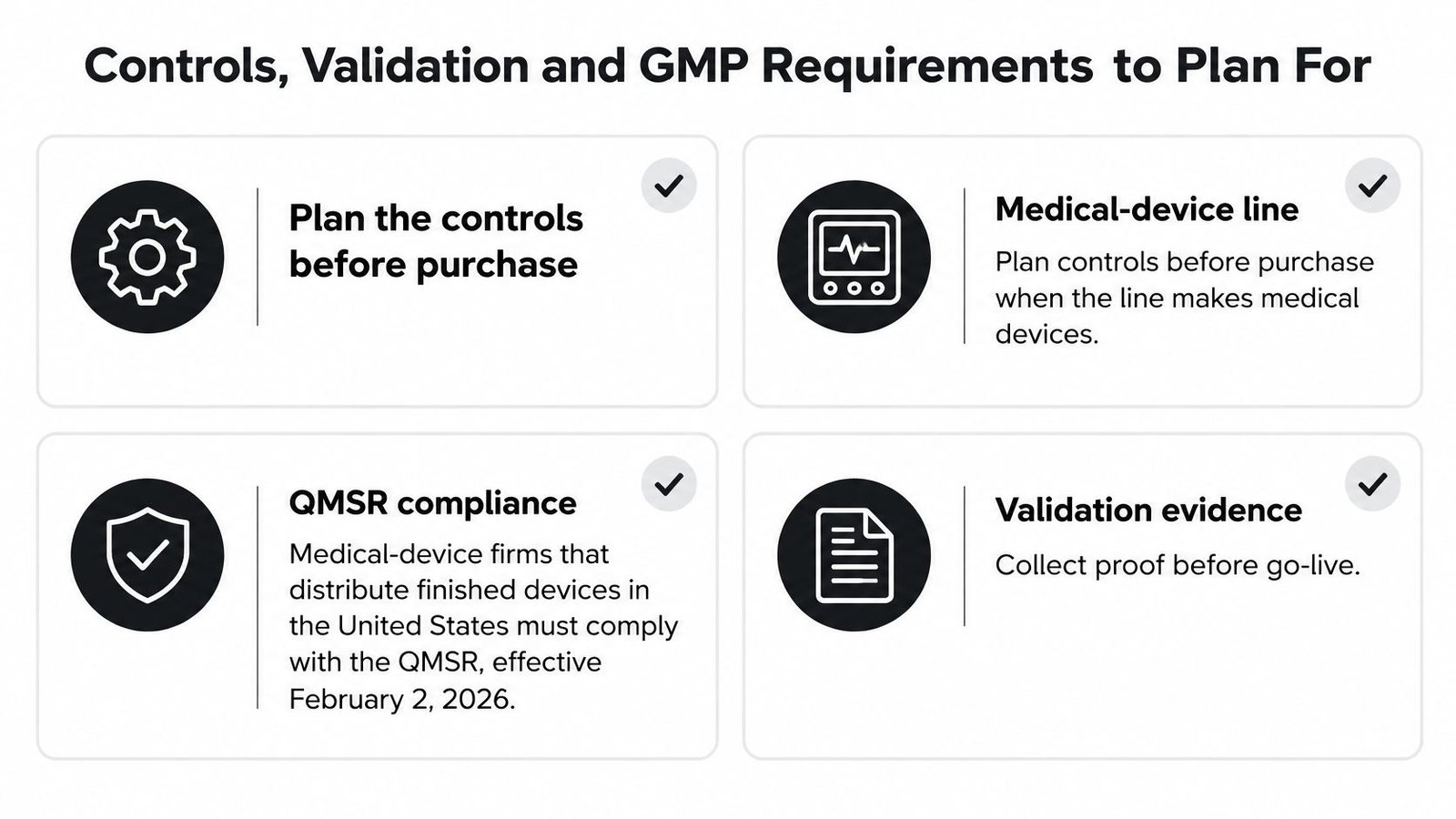
The most advanced system is not automatically the safest choice for a medical device line. Every connected feature adds software to validate, access to control, data to protect, and changes to document. The cheapest compliant system often has fewer connected features and clearer human oversight, not the most autonomous design.
Under FDA 21 CFR 820.10, covered manufacturers must document a quality-management system that complies with applicable ISO 13485 requirements and other regulatory obligations. The rule links quality-system controls to unique device identification under 21 CFR Part 830, medical-device tracking under Part 821 when applicable, and complaint reporting under Part 803. Your equipment therefore has to generate and preserve identification, traceability, data capture, and controlled production records your quality system can rely on.
Plan each control before purchase
| Control | Owner | Evidence kept |
|---|---|---|
| Traceability and unique device identification | Quality engineering | UDI and lot genealogy records |
| Production records captured and retained | Quality and production | Electronic batch records with audit trail |
| Labeling and packaging verification | Quality control | Label-to-master-record check and legibility test |
| Change control for recipes and parameters | Controls engineering | Approved change requests and version history |
| Validated software and controlled recipes | Controls and validation | IQ, OQ and PQ protocols and reports |
| Network segmentation, access control and patching | IT/OT security | Access logs and patch records |
| Backup and restore | IT/OT security | Tested restore reports |
| Manual fallback and operator requalification | Operations and quality | Fallback procedure and requalification log |
Labeling deserves special attention because it's where automation can create a compliant-looking error at speed. Specify controlled dispensing, barcode or vision verification against the device master record, reject handling that physically removes bad units, and a legibility check that reflects distribution and storage conditions. If the system can't prove the right label went on the right device, don't let it run unattended.
Ask who owns each control once the integrator leaves. Who approves recipe changes? Who reviews audit trails and alarm histories? Who patches the controls workstation, tests the restore, and requalifies operators after a software change? Put names and backup names in the purchase requirements, not in a handover meeting after installation.
Our overview of GMP in manufacturing explains the wider system these controls sit inside. I would rather buy a simpler semi-automated station with clean records, controlled recipes, and an operator who can explain every reject than a smarter line nobody on site can validate after the first change.
Sourcing, Commissioning and Team Handover
Picture commissioning day without the ceremony. The cell arrives, the first parts run, then a sensor faults on a material variation nobody tested. Good commissioning isn't the absence of that fault. It's a team that knows the safe state, clears it correctly, records it, and decides whether the design or the setup caused it.
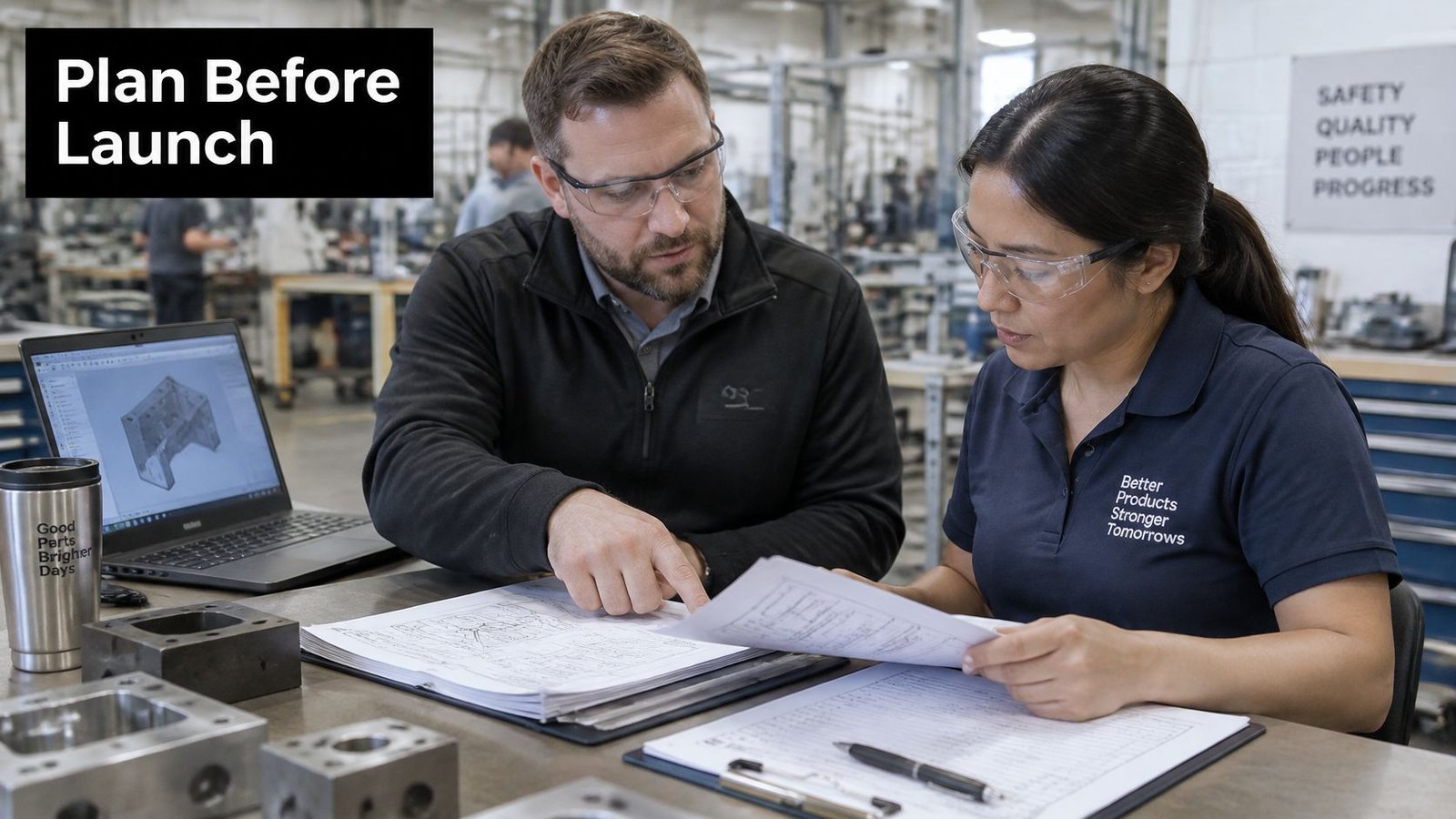
The photo below captures the part of sourcing that happens before metal is cut, when drawings, interfaces, and acceptance tests need joint review.
Procure and commission in a fixed order
- Write the specification from pilot results: Include interfaces, target cycle time, product variants, records required, and every document due at handover.
- Require design evidence from suppliers: Ask for design drawings, material sourcing plans, controls architecture, spare parts recommendations, and a factory acceptance test plan tied to your criteria.
- Test at the supplier site before shipment: Run your parts, your labels, and your difficult variants. Test fault recovery and changeover, not just a clean cycle.
- Install around the existing line: Use phased changeover where possible, protect upstream and downstream stations, and keep the previous method available until the new one is accepted.
- Commission with a controlled ramp: Increase rate and product mix in stages, logging parameters, alarms, rejects, and interventions at each stage. Our equipment commissioning checklist gives you a practical sequence for that evidence.
- Train by role and certify by name: Operators, setup staff, maintenance, and quality need different skills. Record who can run, change over, calibrate, troubleshoot, and approve a restart.
- Hand over the maintenance plan: Include the preventive schedule, calibration intervals, spare parts list, backup procedures, escalation route, and a named owner for each system.
The video below is useful for seeing how design, build, and production decisions connect before equipment reaches your floor.
Cover warranty and support terms in the contract, including response expectations, remote access rules, software backups, and who supplies wear parts during the first six months after go-live. Don't accept "call us if it breaks" as a support plan.
Handover is complete when your team can run a normal shift, complete a changeover, recover from common faults, produce the required records, and explain the maintenance plan without the integrator in the room. Until then, the project is installed, but it isn't implemented.
If you're weighing tooling, a semi-automated workstation, or a fully automated line, bring us your constraint, baseline data, and production goals and we'll help you choose the level that fits your volume, quality requirements, and budget. Start with a no-obligation consultation at System Engineering & Automation, and we'll map a phased path that improves output without forcing you to buy more automation than your process needs.