ROI in automation is (total net benefit minus total cost) divided by total cost, and simple payback is total cost divided by annual net benefit. Both depend on realized good units per hour, not machine-rated speed.
Say you're staring at a bottleneck workstation that misses ship dates unless you run overtime, and a vendor has just quoted a semi-automated cell with an attractive cycle time. Finance wants payback in months. Operations wants to know who'll run it on second shift. Quality wants validation evidence. You're caught between a brochure rate and a production schedule that doesn't care about brochure rates. That's where most business cases go wrong. They price the machine, multiply rated speed by available hours, and call the difference savings. I would start with what's shipped today, cost every line you'll own after go-live, and test what happens if utilization or demand slips.
Table of Contents
- The ROI and Payback Formulas Manufacturers Use
- Total Cost of Ownership Lines Most Cases Miss
- How to Calculate Automation Benefits Step by Step
- Worked Example for a Semi-Automated Workstation
- Sensitivity Scenarios That Change the Verdict
- Quality, Safety and Flexibility Benefits to Price In
- Confirm the Business Case Before Approving Spend
The ROI and Payback Formulas Manufacturers Use
ROI and payback answer different questions, so report both. ROI tells you how much the project returned over a study period. Payback tells you when the cash comes back. A project can show a strong three-year ROI and still fail your capital hurdle because the cash arrives too late.
| Metric | Formula | Question it answers | Best used for |
|---|---|---|---|
| ROI | (Total net benefit minus total cost) divided by total cost | How much return did the project produce over the study period? | Comparing projects of the same length |
| Simple payback | Total cost divided by annual net benefit | How many months until the cash is recovered? | First-pass capital screening |
| Discounted payback | Years until cumulative discounted net benefit equals total cost | When is the investment recovered after discounting? | Financed or longer-lived projects |
| NPV | Sum of discounted net cash flows minus initial cost | Does the project add value above the cost of capital? | Ranking competing capital uses |
| TCO | Purchase, integration, operating, maintenance, downtime and retirement costs over life | What does the asset really cost to own? | Comparing manual, semi-automatic and fully automated options |
Which Metric Decides What
Use simple payback as the first screen. It's crude, it's fast, and plant managers trust it because it maps to cash. Use NPV when two projects compete for the same budget, because it accounts for the time value of money and rewards earlier returns. Use TCO when you're comparing a manual station, a semi-automated cell, and a full line, since purchase price is often the smallest difference between them.
Practical rule: Payback gets you into the approval meeting. NPV decides between the projects already in the room.
Why Assumptions Beat Formulas
The formulas are arithmetic. The risk sits in the inputs. McKinsey's analysis of automation and the talent challenge in American manufacturing reports that the typical observed return on investment for industrial robots was approximately five to eight years from the 1980s through the 2020s, but current manufacturing projects can often achieve payback in one to three years. The same source notes robot prices have fallen by more than 50% over the past 30 years.
That shift doesn't mean your project pays back in a year. It means the range is wide enough that a single optimistic input can swing the verdict. The input most often inflated is good units shipped. Rated speed ignores scrap, changeovers, starved upstream stations, and breaks. Build every formula on good units per scheduled hour, and the numbers get honest fast.
Total Cost of Ownership Lines Most Cases Miss
A workstation can meet its quoted price and still miss its payback target. Integration may take longer than planned, maintenance may have no assigned owner, and training may cover only one shift. Those costs accumulate after purchase, when the project is already described as installed.
| Cost group | Typical line items | When it hits | Why it is often missed |
|---|---|---|---|
| Equipment and tooling | Semi-automatic frame, fixtures, custom tooling, guarding | Upfront | Supplier quotes usually focus on this line |
| Controls and integration | PLCs, HMI, sensors, links to MES or ERP | Upfront | Programming and testing time is underestimated |
| Validation and documentation | Qualification protocols, test evidence, change control | Before release | Treated as paperwork rather than cost |
| Commissioning downtime | Lost output during installation and debugging | Months 0 to 2 | Excluded from payback calculations |
| Training and staffing | Operator training, cross-training, shift coverage | Year 1 and after turnover | Turnover makes training recurring |
| Maintenance and spares | Preventive maintenance labor, wear parts, calibration | Annual | Costs rise as equipment ages |
| Software and support | Licences, updates, vendor support contracts | Annual | Often left out of the operating budget |
| Retirement or upgrade | Decommissioning, control obsolescence, replacement parts | End of life | Ignored in three-year cases |
Readiness Costs Are Real Costs
The 2025 smart manufacturing report hosted by Auburn University's ICAMS found that manufacturers most frequently cited high cost (21%), capital requirements (16%), lack of a business case (14%), and workforce skill gaps (14%) as barriers to automation adoption.
Use those barriers to check what your estimate leaves out. If workers need new skills, include training by shift. Cost controls and data integration by interface, and process validation by protocol. Include changeover programming for each product variant, not only the launch part. An unstable manual process also takes time and effort to stabilize before automation. Automating process variation can make that variation happen faster.
Commissioning Downtime Lengthens Payback
During installation and debugging, the station may stop producing saleable units. Idle a bottleneck for two weeks, and lost output cannot be recovered unless you run overtime or build inventory ahead. Put the lost contribution in month zero, alongside validation, training, and commissioning costs. Leaving these out makes payback look shorter, particularly on full lines with long tie-ins.
A semi-automated cell with fewer integrations can often be commissioned in stages. Keep the manual fallback running, bring up one fixture at a time, and retain operator flexibility where the process allows. A more complex line may deliver a faster cycle time, but that advantage has to outweigh its integration cost and downtime. For a single bottleneck, compare the value of added capacity with the cost of taking the station offline and the demand available to fill that capacity.
Separate fixed costs from volume-dependent costs to test the case at lower utilization. Training and integration can remain costs even when the cell runs fewer hours, while output-related benefits shrink with demand. Include a 10 to 20% investment contingency in the model. A case that only works at full utilization, with no schedule slip or added budget, has little room for commissioning delays or softer demand.
How to Calculate Automation Benefits Step by Step
You can start this week with data you already collect, even if it's imperfect. The sequence matters. Baseline first, dollars second, formulas last.
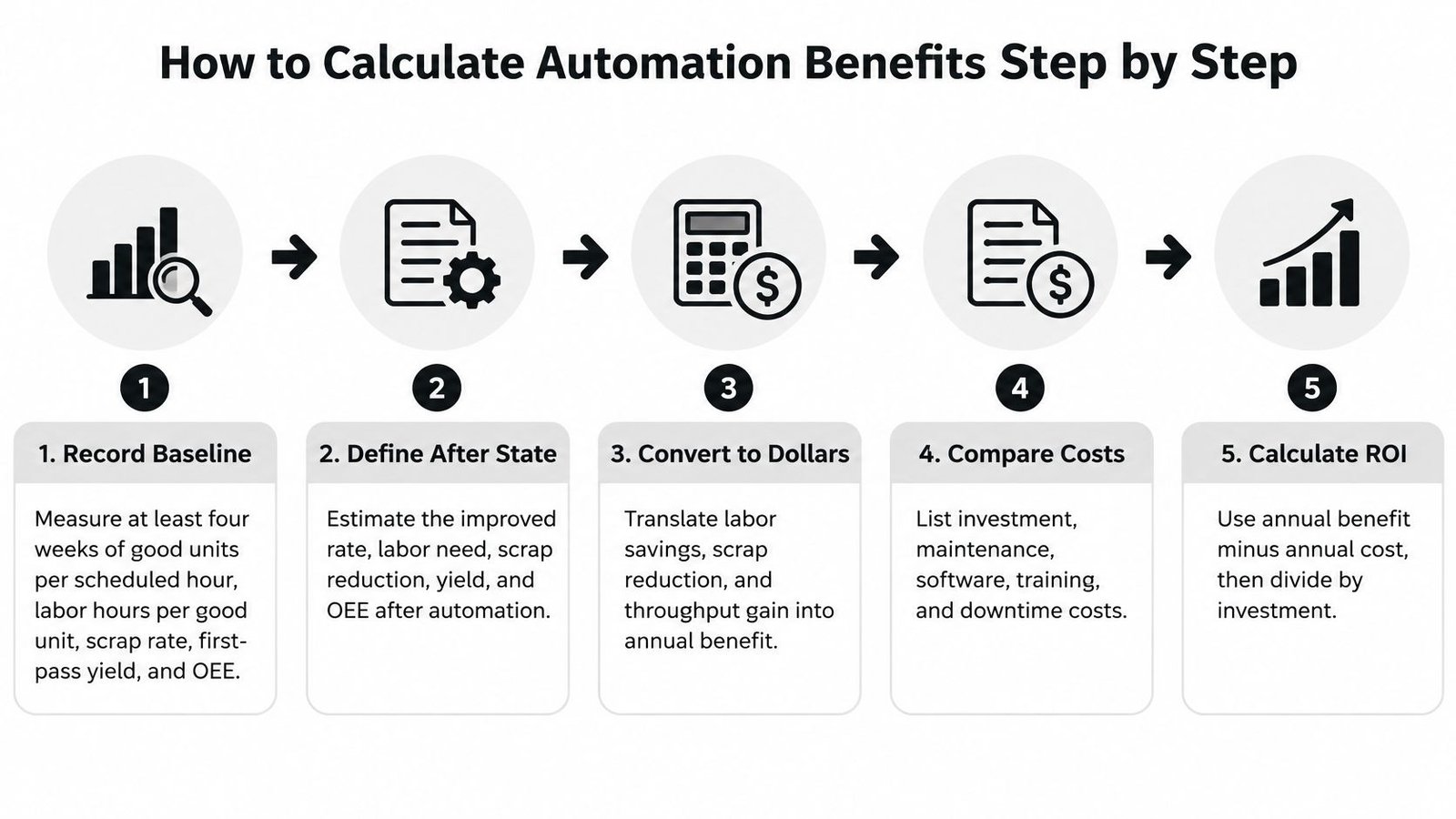
Record a baseline over at least four weeks. Capture good units per scheduled hour, labor hours per good unit, scrap rate, first-pass yield, OEE, unplanned downtime by cause, and changeover minutes. The usual error is using one good shift as the baseline.
Convert output gains to money. Multiply incremental good units by contribution margin per unit. Count only units a customer will buy. Capacity nobody orders isn't a benefit, it's inventory.
Value labor. Multiply hours removed or overtime avoided by the fully loaded hourly cost, including benefits and shift premiums. If operators move to other work instead of leaving the payroll, claim avoided hiring or overtime, not headcount savings. A structured approach to labor cost reduction helps separate redeployed hours from cash saved.
Price recovered uptime. Multiply downtime hours saved by contribution per running hour. Treat uptime as its own value driver, since a station that stops less often produces more without running faster. The NIST Manufacturing Extension Partnership case on automating processes and workforce training reported automation reduced downtime by 70% and increased process efficiency by 40%. That's a case result, not a planning assumption, so model your own downtime causes first.
Price avoided scrap and rework. Use units no longer scrapped multiplied by the full cost per unit at the point of failure, including material, labor already applied, and rework hours. Don't value scrap at material cost alone.
Subtract recurring costs. Maintenance labor, wear spares, calibration, software support, and operator coverage all reduce annual benefit. The common mistake is treating year-one warranty coverage as the permanent cost of ownership.
Total the one-time investment. Include equipment, tooling, integration, validation, training, and commissioning downtime. If a line will hit your budget, it belongs in the denominator.
Calculate, then stress the result. Compute annual net benefit, simple payback, and three-year ROI. Then rerun at pessimistic and optimistic values for volume, yield, and investment. A single payback figure hides exactly the risk finance will ask about.
Count throughput only where demand exists. Everything else is a faster way to fill a warehouse.
Worked Example for a Semi-Automated Workstation
A bottleneck workstation runs 4,000 scheduled hours a year and makes 120 good units per hour. Overtime covers the shortfall most weeks. A proposed semi-automated upgrade adds fixtures, a PLC, sensors, and a guarded station. Its $200,000 installed cost includes integration, validation, and training.
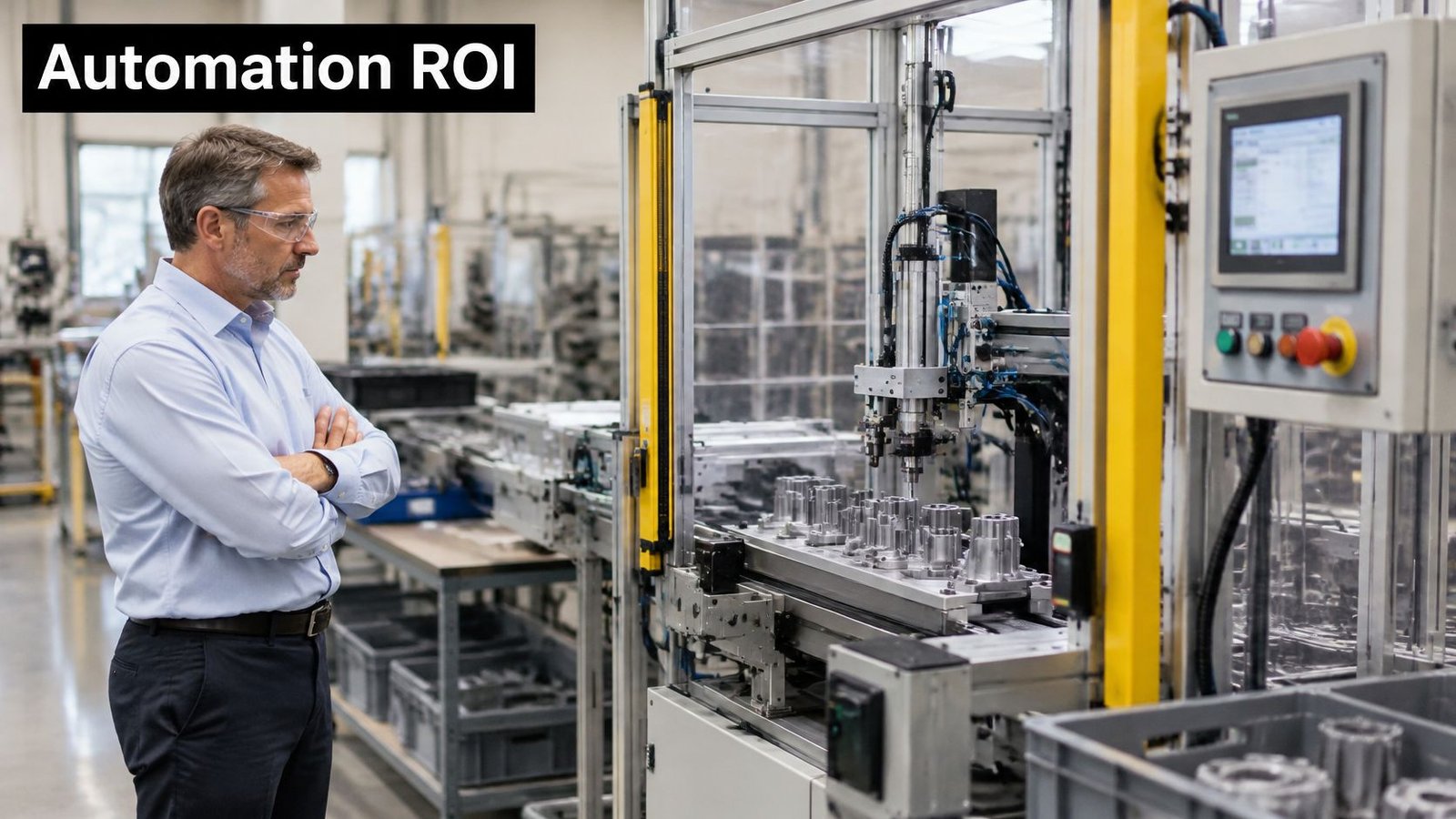
Inspect the workstation before assigning it a throughput benefit. The estimate depends on what the station can produce consistently and whether demand exists for the additional good units.
The Base Case Math
Suppose the upgraded station makes 150 good units per hour, a 25% gain. That adds 30 units per hour, or 120,000 units a year across the scheduled hours. At a $1.20 contribution margin per unit, the added good units contribute $144,000 annually, provided orders are available for the full increase.
The other benefits are $48,000 in avoided labor and overtime, based on 1.5 operator equivalents redeployed from overtime, and $12,000 in avoided scrap. Together, the annual benefits total $204,000. Subtract $30,000 in recurring maintenance, spares, calibration, and software support, leaving $174,000 in net annual benefit.
Simple payback is $200,000 divided by $174,000, or about 14 months. Three-year ROI is ($522,000 minus $200,000) divided by $200,000, or 161%. At an illustrative 10% discount rate, five-year NPV is about $460,000. These are planning assumptions, not benchmarks. The result depends heavily on selling the additional output.
The walkthrough below shows a cell being evaluated on the floor.
What a Documented Case Shows
A NIST-documented manufacturing example reported productivity rising from 200 to 276 parts per hour, a 38% improvement, while projected equipment payback fell from 11.5 months to 6.5 months after labor savings and realized productivity were included. Use the case to understand how realized throughput can affect payback, not as a forecast for another plant. Good-part output, stable quality, and demand all matter.
| Line item | Pessimistic | Base | Optimistic |
|---|---|---|---|
| Good units per hour, baseline | 120 | 120 | 120 |
| Good units per hour, after automation | 135 | 150 | 165 |
| Scheduled hours per year | 2,500 | 4,000 | 4,000 |
| Incremental good units per year | 37,500 | 120,000 | 180,000 |
| Contribution from incremental good units | $45,000 | $144,000 | $216,000 |
| Avoided labor and overtime | $24,000 | $48,000 | $64,000 |
| Avoided scrap and rework | $6,000 | $12,000 | $18,000 |
| Recurring costs per year | $34,000 | $30,000 | $30,000 |
| Net annual benefit | $41,000 | $174,000 | $268,000 |
| Total investment | $230,000 | $200,000 | $200,000 |
| Simple payback | 5.6 years | About 14 months | About 9 months |
| Three-year ROI | -47% | 161% | 302% |
The pessimistic case combines fewer scheduled hours, a 15% higher investment of $230,000, and a smaller production gain. Its annual net benefit still reconciles: $45,000 from incremental units, plus $24,000 labor savings and $6,000 scrap savings, less $34,000 recurring costs, equals $41,000. Payback stretches from about 14 months in the base case to 5.6 years. Recalculate each line using the station's expected utilization, demand, and full project cost.
Sensitivity Scenarios That Change the Verdict
A payback figure without a range hides the risk you're asking your company to carry. Start by challenging the base case directly. It assumes a 25% output gain. Deloitte's 2025 smart manufacturing survey found implemented smart-manufacturing initiatives were associated with average production-output improvements of 10% to 20%, employee-productivity improvements of 7% to 20%, and capacity improvements of 10% to 15%.
Your 25% sits above that reported output range. That doesn't make it wrong, but you need pilot data or a time study to defend it. Otherwise, test a 20% gain as your base and treat 25% as the upside. Survey ranges are benchmarks, not guarantees, so validate them against your cycle time, staffing, scrap, changeover, and uptime data.
| Change from base case | Simple payback | What it shows |
|---|---|---|
| Base case as calculated | About 14 months | Reference point |
| No extra demand, so no throughput benefit | 6.7 years | Capacity without customers is not a benefit |
| Scrap savings not realized | About 15 months | Quality claims need proof |
| Three-month ramp-up at half benefit | About 16 months | Commissioning timing shifts payback |
The Variables That Actually Move the Answer
Demand dominates everything. Remove the $144,000 throughput value and net benefit falls to $30,000, stretching payback to 6.7 years. The cell still works. It just makes product nobody ordered. Before you claim throughput, get sales to confirm the volume in writing.
Utilization comes next. In the worked example, running 3,000 of 4,000 scheduled hours cuts incremental output and pushes payback to about 17 months. Utilization falls for ordinary reasons, including material shortages, upstream starvation, and unfilled shifts. Model the hours you'll staff, not the hours on the calendar.
Smaller misses still add up. Scrap savings that don't materialize add about a month. A 20% investment overrun to $240,000 adds roughly three months. Doubling recurring costs to $60,000 has a similar effect. A three-month ramp-up at half benefit cuts year-one benefit by about $22,000 and delays payback accordingly. Choosing between a semi-automatic and fully automatic system changes several of these variables at once, especially investment, ramp-up, and recurring support.
Show the base case and a downside case in every approval paper. If the downside is survivable, the project is sound. If the downside kills it, you've learned something cheap.
Quality, Safety and Flexibility Benefits to Price In
These benefits are real, and they're the easiest to overstate. Price them with evidence or leave them out of NPV.
Quality You Can Prove
Error-proofing, repeatable parameters, and documented process data reduce nonconformances and rework when the controls are specified, qualified, monitored, and maintained. The FDA process validation guidance states that appropriate validation can reduce waste, cost, and the time required to bring a medical device to market, and defines process validation as establishing through objective evidence that a process consistently produces a result meeting predetermined specifications. Count only defects avoided that your own records support, valued at your actual cost per nonconformance. A cheaper design that can't produce reliable evidence may cost more than a documented system with a higher price.
Safety at Your Own Incident Cost
Removing repetitive lifting and handling, and adding guarding, lowers exposure to the injuries that drive your incident log. Value that at your recent incident costs, including lost time, downtime, and insurance claims. Don't import a hypothetical industry figure. If your plant has had no relevant incidents in three years, the honest value is small, and the benefit belongs in the qualitative case.
Flexibility as an Option
Fixtures and modular controls let a station switch between product variants and absorb demand swings without new capital. Value that as an option, scaled by how often your product mix changes. A station that changes over twice a year gains little from quick-change tooling. One that changes twice a shift gains a lot. Weighing these trade-offs is central to the pros and cons of automation at station level.
Score each benefit from 1 to 5 on evidence strength. Put the scores beside the financial case, and add to NPV only the portion backed by data. For medical device manufacturers, validated software and controlled process parameters are the evidence that makes quality benefits count in an audit.
Confirm the Business Case Before Approving Spend
Turn the analysis into a decision package finance can approve without a follow-up meeting. Set the payback hurdle and discount rate with finance before modelling, and record both in the assumptions register.
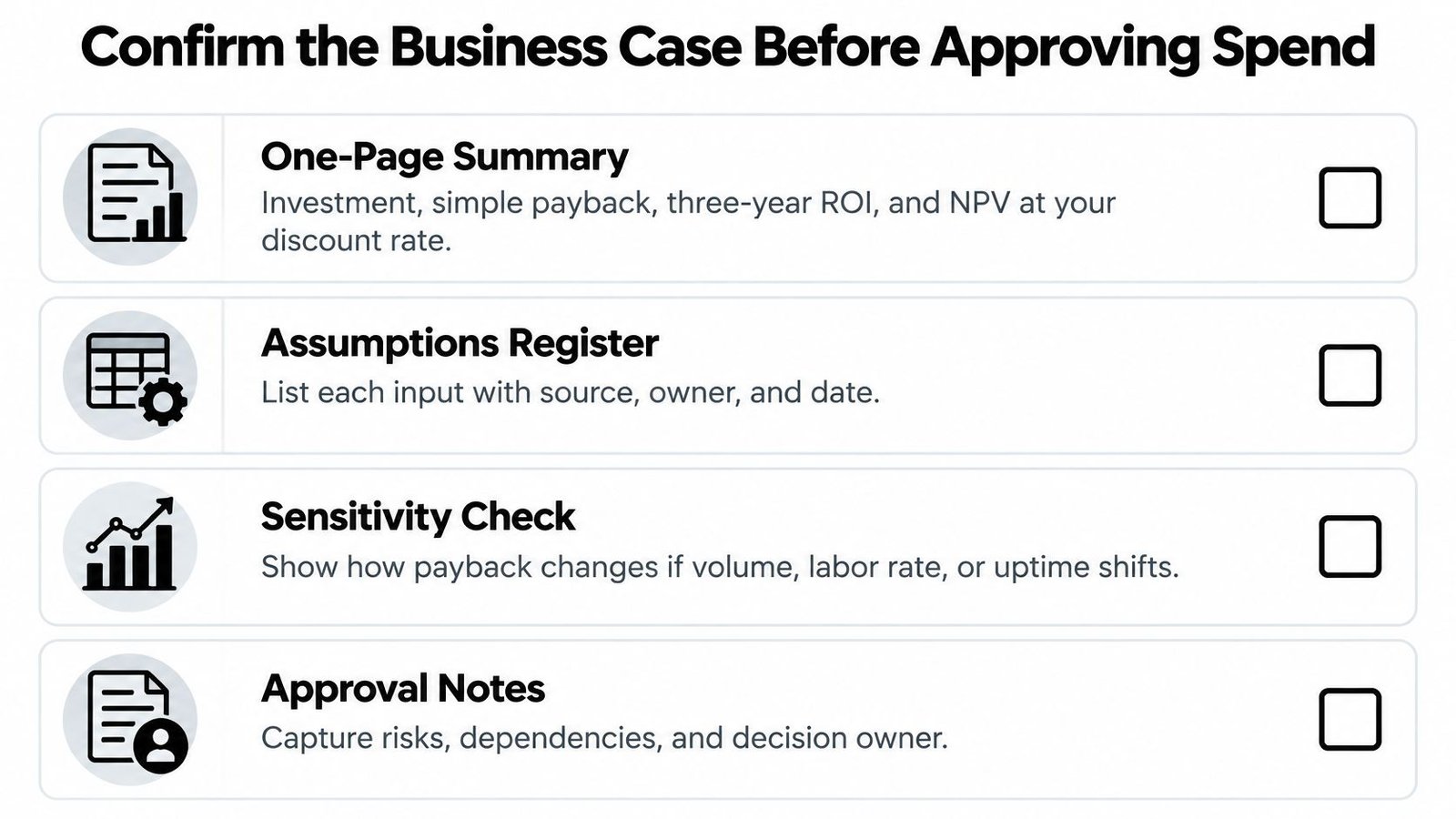
- One-page summary: Investment, simple payback, three-year ROI, and NPV at your discount rate.
- Assumptions register: Each input with its source, owner, and date.
- Baseline data: Four or more weeks of good units per hour, scrap, downtime, and changeover.
- Three scenarios: Pessimistic, base, and optimistic, with the downside stated plainly.
- Validation and training plan: Protocols, approvals, and training by shift.
- Measurement plan: Reviews at 30, 60, and 90 days after go-live covering good units per hour, labor hours per good unit, scrap, unplanned downtime, and changeover time.
Approve one bottleneck workstation first, prove the numbers, then scale. Proceed when base-case payback sits inside your hurdle and the downside case is survivable. Where the scope is semi-automated tooling or a controlled station, an integrator such as System Engineering & Automation can help scope cost lines and the commissioning plan before budget is committed. Pull six months of production data this week and rebuild the table with your own numbers.
If you're weighing a semi-automated workstation, custom tooling, or integrated controls, System Engineering & Automation scopes, designs, builds, installs, and commissions right-sized systems matched to your production goals and budget, with GMP-aware practices for regulated manufacturers. Bring your baseline numbers and constraints, and the team will help you test the ROI in automation before you commit capital. Start the conversation at System Engineering & Automation.